Best AI Grading Software for Higher Education (2026)
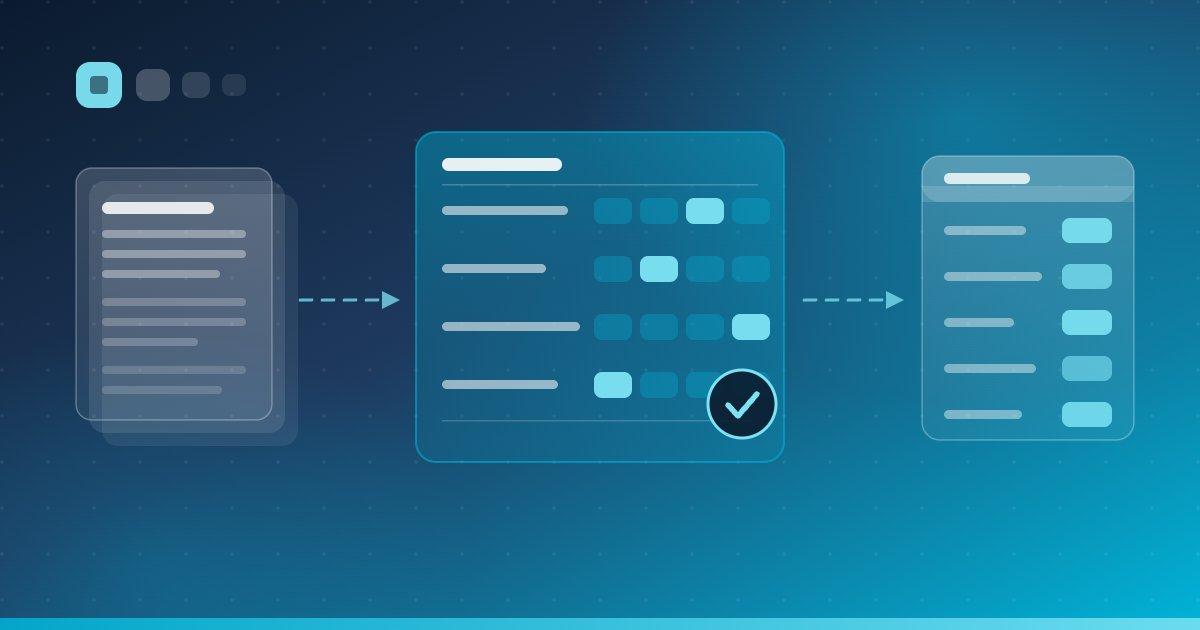
The best AI grading software for higher education depends almost entirely on what you are grading. A tool built to group 800 handwritten calculus answers is a poor fit for a reflective essay, and a tool that coaches students through a draft does nothing for a lab practical scanned as PDF. The category label “AI grading” hides these differences, and most comparison articles make it worse by ranking products that do not actually compete with each other.
This guide takes a different approach. For each tool below we state what is genuinely automated, what remains a human decision, how the grade gets into your LMS gradebook, and what the vendor actually publishes about pricing. Every claim comes from the vendor's own documentation. Where a vendor does not publish something — pricing is the usual case — we say so rather than guessing.
What Does "AI Grading" Actually Mean?
AI grading is the use of a model to evaluate student work and produce a score, a set of feedback comments, or both. In higher education it comes in two fundamentally different forms: assistive grading, where the AI drafts a score and a human approves or overrides it before students see anything, and automatic grading, where the AI's score is the final score. The distinction matters more than any feature list, because it determines who is accountable for the grade.
Assistive AI grading (AI drafts, the instructor decides)
In assistive grading, the model reads a submission, scores it against a rubric the instructor wrote, and explains its reasoning per criterion. The instructor then accepts, edits, or replaces the score. Nothing reaches the gradebook without a human action. This is the dominant mode in higher education, and for good reason: it compresses the mechanical part of grading — reading, matching to a rubric level, writing a comment — without transferring academic judgement to a vendor. Most of the tools in this guide operate in this mode.
Automatic AI grading (the AI's score is the score)
Automatic grading posts scores without a per-submission human review. It is defensible in narrow, well-specified cases: bubble-sheet exams where the answer key is unambiguous, or code that either passes an instructor-written test suite or does not. It becomes risky the moment the work is open-ended, because a misread thesis or a misinterpreted argument reaches a student before anyone notices. Large-scale standardized testing programmes are the main place open-response automatic grading is deployed seriously, and it is generally calibrated against human graders first.
The third thing vendors call AI grading
A significant amount of what is marketed as AI grading is neither: it is AI-assisted triage. Grouping identical short answers so an instructor can grade a whole cluster at once, matching handwritten pages to the right student, flagging likely AI-generated text, or generating draft feedback with no score attached. These features save real time, but they do not assign marks. When you evaluate a tool, the first question worth asking is simply: at the end of this workflow, who chose the number?
Rule of thumb: if a vendor cannot tell you in one sentence which step a human must perform before a grade posts, you are looking at a marketing claim rather than a grading workflow.
How This List Works
The eight tools below are listed by workflow type, not ranked — there is no single best AI grading software for higher education, only a best fit for the kind of assessment you run. Each entry covers what the tool does, who it suits, what is actually automated, how rubrics work, how the LMS integration handles grade passback, and what the vendor publishes about pricing. Several vendors publish no institutional pricing at all; where that is the case we describe the model rather than inventing a number.
One disclosure before we start: EduGears AI, listed eighth, is our product. We have tried to describe it with the same restraint as everything else, including the things it does not do.
1. Gradescope (a Turnitin company)
Gradescope, a Turnitin company, is a grading and assessment platform for administering and grading paper-based, digital, and code assignments, built around question-by-question grading and dynamic rubrics. It is the strongest option in this list for large-enrollment courses that still run exams on paper — STEM in particular.
What is actually automated
Three distinct things, and it is worth separating them. First, AI-assisted answer grouping: Gradescope automatically forms suggested answer groups for the instructor to review, then the instructor applies rubric items to each group. Gradescope's documentation limits this to four question types — manually grouped, multiple choice, math fill-in-the-blank, and text fill-in-the-blank — on fixed-template PDF assignments, and states it is not available in Online Assignments. Second, bubble sheet exams are automatically graded once submissions are uploaded. Third, the code autograder runs instructor-written tests in Docker containers; Gradescope describes it as a language-agnostic platform, so the instructor supplies the test logic and the environment.
None of these assign a rubric score to an open-response answer on the AI's own judgement. Gradescope's AI reads handwriting and clusters similar answers; the instructor still decides what each cluster is worth.
Rubrics and human review
Rubrics are dynamic — built in advance or created during grading, and adjustable at any time. The standout capability is retroactive: Gradescope lets you make rubric changes that apply to previously graded work, which is genuinely useful when you discover mid-marking that a criterion was mis-specified. Note that some advanced rubric functionality, including importing rubrics and rubric item groups, is documented as Institutional-plan only. Human review is mandatory throughout: instructors rename, delete, merge, and confirm every AI-suggested group, and can pull an individual submission out of a group to grade separately.
LMS integration and pricing
Gradescope is LTI Advantage certified and supports LTI 1.3, including Names and Role Provisioning, Deep Linking, and Assignment and Grade Services for grade passback. Turnitin has stated that new features and enhancements ship only for LTI 1.3 integrations; legacy LTI 1.0 links still function but are frozen. Note that LMS integration and SSO are documented as Institutional-plan features. Pricing is quote-based: Gradescope publishes a free Basic plan and an Institutional plan with no figure attached, plus an Institutional Trial for one term after which an account can continue on Basic.
Best for: universities running large paper-based or template-PDF exams, especially in mathematics, engineering, and the physical sciences, and CS departments that want to write their own autograders.
2. Turnitin Feedback Studio
Turnitin Feedback Studio is a similarity-checking and feedback platform for written work, combining the Similarity Report with QuickMarks, rubrics, and pinned comments. It is the default choice at institutions whose primary driver is academic integrity, with faster written feedback as the secondary benefit.
What is actually automated
Feedback Studio does not auto-assign essay grades. What it automates is the Similarity Report, the AI writing indicator, the Flags Panel, and AI summary comments. Turnitin is explicit that the tool does not make the final determination of whether plagiarism has occurred — it surfaces insights so that educators make their own informed judgement. Two capabilities readers often assume are included are in fact separate paid add-ons: AI writing detection ships via the Originality add-on, and AI-assisted grading of scanned paper assignments ships via the Paper to Digital add-on. Some AI-detection features are documented as English-only.
Rubrics and human review
Rubric support is the deepest of any tool here. Turnitin documents four instrument types: weighted rubrics (a criteria-by-scale matrix where criterion percentages must total 100, with documented limits of 50 criterion rows and 20 scale columns), qualitative rubrics that give feedback with no numerical scoring, custom rubrics with per-cell point values and written feedback, and grading forms with standard criteria and no scaled levels. Rubrics are reusable and can be pre-loaded. The instructor assigns every grade.
LMS integration and pricing
Turnitin integrates natively or via API and LTI 1.3 with most major LMS platforms, naming D2L, Canvas, Microsoft Teams, Moodle, and Sakai among others. Its LTI 1.3 integration brings Names and Role Provisioning, Deep Linking, and Assignment and Grade Services, which Turnitin describes as automating grade passing, progress tracking, and instructor comments between the LMS gradebook and Turnitin. Turnitin is actively migrating customers from LTI 1.1 and Direct V2 to LTI 1.3, so an existing campus integration may still be on the older path. Pricing is quote-based — the product page carries no figures, only a request to speak with sales.
Best for: institutions that need integrity checking and structured written feedback in one workflow, and that already have Turnitin in the LMS.
3. Crowdmark
Crowdmark is a platform for grading handwritten, scanned, and digital assessments question-by-question, designed around teams of graders sharing a common comment library. It is built for the reality of a large course marked by a dozen teaching assistants who need to score the same question the same way.
What is actually automated
Crowdmark is the clearest case in this guide of a vendor deliberately declining to automate scoring. Its AI is used for two things: optical character recognition to match handwritten work to the right student record, and automatic marking of multiple-choice bubble sheets. Crowdmark states publicly that it will automate anything that does not have a bearing on a student's direct learning experience, and that it opposes solutions that automate point values or responses for open-response questions; its CEO has said plainly that the company does not seek to replace educators by grading with AI. If the model cannot recognise a response, a human marker is brought in to moderate. Crowdmark's homepage carries a “grade 3X faster” claim — treat that as a vendor figure, not an independent finding.
Rubrics, LMS integration, and pricing
Rubrics are built from a shared comment library, where comments carry point values and are dragged onto student work; the library is shared across all graders, and rubrics can be imported by CSV. Crowdmark lists Canvas, Brightspace, Blackboard, Moodle, and Schoology among its integrations and documents LTI 1.3 support including course creation and roster sync. One integration detail is worth knowing before you plan a workflow: Crowdmark's documentation states that scores must be exported from Crowdmark to appear in the LMS gradebook, creating a column per synced assessment. That is a push-on-demand sync rather than a silent, per-submission passback. Pricing is quote-based; Crowdmark describes annual and course-based subscriptions licensable at instructor, department, or enterprise level and priced on the number of users, but publishes no figures.
Best for: large STEM courses with paper exams and multi-TA grading teams, and departments that want consistency tooling without handing scoring to a model.
4. CodeGrade
CodeGrade combines an autograder, a browser-based IDE, and an AI assistant for programming courses, delivered inside Canvas, Blackboard, Moodle, or Brightspace. If your grading problem is code, this is the most complete option in this list — and the only one that publishes exact per-student pricing.
What is actually automated
Code autograding is fully automated: submissions run against tests built in a block-based test builder, students get instant feedback, and resubmission is unlimited until the deadline. CodeGrade claims support for 175+ languages. Its AI assistant is a student-facing coding tutor rather than an AI grader — it is configurable per assignment (hints only, conceptual only, or full help) with full conversation logs visible to instructors. In other words, the automation here is deterministic test execution written by the instructor, not model judgement about quality.
Rubrics, LMS integration, and pricing
Rubrics integrate with the autograder and carry class-wide statistics, and manual review can be combined with automated scoring — instructors leave inline comments attached to specific lines of code and reuse feedback snippets. CodeGrade holds LTI Advantage certification from 1EdTech, which requires LTI 1.3, and states that grades sync automatically to the LMS gradebook whether the autograder or a human assigned them. It lists Canvas, Blackboard, Moodle, Brightspace, Sakai, and Open edX. Pricing is published per student, per course: a free tier at $0 for up to 50 students per course, Starter at $24, and Advanced at $39, with the AI assistant a $15 add-on and institutional licensing quoted separately. One planning note: LMS integration is listed under the Advanced tier, so an LTI deployment is effectively priced from $39 per student per course.
Best for: computer science and data science departments grading code at scale, particularly where students benefit from unlimited resubmission against a test suite.
5. Packback
Packback is an instructional-AI platform with two products: Packback Discussions, for inquiry-based discussion with AI coaching, and Packback Writing, which gives students real-time formative feedback on drafts and gives instructors an AI grading assistant. It reaches roughly 600 higher education and K-12 institutions according to the vendor.
What is actually automated
Packback states its position bluntly in its own help documentation: grading on Packback is AI-assisted but not fully AI-graded. What runs automatically is student-facing pre-submission feedback — grammar and mechanics, word count and depth, flow and structure, repetitiveness, research quality, and formatting — plus source-credibility feedback, APA and MLA citation generation, and flags for issues such as profanity or repetition. For the instructor, Packback's assistant suggests scores for writing-mechanics categories. The instructor has the final say and can override any score.
Rubrics, LMS integration, and pricing
Rubrics and prompts are customisable, and the AI suggests scores only for the criteria the instructor selected for that rubric; the students' real-time feedback is tailored to the same rubric. Packback is 1EdTech certified against LTI 1.0, 1.2, and 1.3 and carries the LTI Advantage certified-interoperable badge. The version difference is documented and matters: LTI 1.0/1.2 gives gradebook sync by linking assignments, while LTI 1.3 adds the ability to push new grade columns into the LMS course. Officially supported platforms include Canvas, Blackboard, Moodle, D2L Brightspace, Sakai, edX, Schoology, Google Classroom, ClassLink, and Clever. Packback publishes SOC 2 Type 2, COPPA and FERPA, and WCAG AA claims. Pricing is quote-based with an unusual student-pay model: access is purchased per community, per semester, with no recurring payment; no figures are published, and K-12 instructors can set the community price to zero.
Best for: discussion-heavy and writing-intensive courses in the humanities and social sciences where the goal is better student drafts, not just faster marking.
6. FeedbackFruits
FeedbackFruits is a higher-education learning-design platform covering assessment, peer review, and feedback, with an AI layer branded Acai. Its Acai Grading Assistant is the closest thing in this list to a purpose-built assistive rubric grader for written work.
What is actually automated
The Acai Grading Assistant reads a student's most recent text submission together with the rubric and returns a suggested rubric rating, an explanation of how it reached that rating, and a short set of draft feedback points. FeedbackFruits documents this explicitly as a suggestion rather than a rating or a review: the educator adopts, adjusts, or discards it, and the assistant does not make final grading decisions. The documented limitation is scope — the assistant works on text documents, so images, audio, and video submissions are out of range. FeedbackFruits also publishes a separate Rubric Assistant with its own transparency note.
Rubrics, LMS integration, and pricing
Rubric creation is native, and FeedbackFruits maintains per-LMS LTI 1.3 setup documentation for Moodle, Canvas, Blackboard, and Brightspace/D2L, with dynamic registration available on Moodle and Brightspace. Grades pass back to the LMS for all FeedbackFruits tools, with a gradebook column created automatically when grading is enabled. Pricing is quote-based institutional licensing — FeedbackFruits describes an initial fee followed by annual invoicing, with Acai availability depending on the bundle an institution licenses. No figures are published.
Best for: institutions buying a campus-wide assessment and peer-review platform, where AI grading assistance is one capability inside a larger learning-design rollout.
7. Copyleaks AI Grader
Copyleaks AI Grader is a bulk grading engine that learns from a batch of human-graded papers and then replicates those graders at scale. It is the one genuinely automatic open-response grader in this guide, and it is aimed at a different buyer than everything else here.
What is actually automated
Copyleaks describes a three-step process: the grader analyses a batch of human-graded papers to learn the correct answers and how grades were applied, then replicates those human graders to grade exams in bulk, then a scoring algorithm assigns grades in line with the human baseline. It supports more than 100 languages and includes OCR for physical exams. The intended scale is explicit in Copyleaks' own framing — scanning tens of thousands of standardized tests at state, national, and university level. Its published case study is a national high-school graduation exam.
What Copyleaks does not publish
Three things a higher-ed buyer would want are absent from Copyleaks' public AI Grader page, and we state them neutrally rather than as absences of capability. Rubrics are not mentioned — the model is trained on human-graded samples rather than driven by instructor-authored criteria. No teacher review or override step is described. And while Copyleaks documents LMS integrations for Canvas, Moodle, D2L Brightspace, Blackboard, Schoology, Sakai, and Edsby, that page covers its detection products; the AI Grader is not described there, and Copyleaks does not publish an LTI version or grade-passback detail. Pricing for education is quote-based, described as based on the number of full-time students; the AI Grader page itself lists no price and offers only a demo request. Copyleaks' published consumer plans are for detection, not grading. Accuracy figures on the page are vendor claims, and the frequently quoted 99%+ accuracy number refers to the AI Detector, not the Grader.
Best for: examination boards and large testing programmes that can calibrate against a human-graded sample — not day-to-day course assessment inside an LMS.
8. EduGears AI
EduGears AI is an LTI 1.3 tool suite that installs once at the LMS admin level and puts 26 AI tools inside Moodle, Canvas, Blackboard, and Brightspace. Rubric-based assistive grading is one of those tools, sitting alongside question generation, quizzes, project assignments, an AI tutor, slides, study guides, worksheets, and lesson planning. That breadth is the honest way to describe the product: it is not a dedicated grading platform in the way Gradescope or Crowdmark are, and if grading handwritten exams at scale is your only problem, those tools are more specialised.
What is actually automated
EduGears AI grading is assistive and rubric-bound. You author a rubric as a criteria-by-levels grid — each criterion has named performance levels with point values and descriptors — and attach it to an activity. The model then evaluates each submission, selects a level per criterion, assigns the points for that level, and writes a short justification for each choice, plus an overall comment. On project and assessment submissions it also returns explicit strengths and improvements. Scores are clamped to each criterion's maximum, so the ceiling you set in the rubric is the ceiling the AI can award; criteria the model fails to address are returned at zero and marked as not graded by AI rather than silently dropped.
Submissions are read directly rather than summarised: PDFs, text, and images are handled natively, and DOCX and PPTX files are text-extracted so their contents are graded too.
Teacher review before anything reaches the gradebook
AI Grading and Student Assessment submissions are always held as a draft — the AI score is a proposal, and the instructor must review and post it. Project and capstone assignments default to draft mode, where the instructor accepts the AI's scores as-is or overrides any criterion, and can be switched to automatic for low-stakes work. Approved scores post to the LMS gradebook over LTI Assignment and Grade Services. Project assignments post to a dedicated line item so a project score can never overwrite the course-completion column a learner launched through.
Rubrics, pricing, and the caveats
Rubrics in EduGears AI are reusable and teacher-owned: build one grid, attach it to as many activities as you like, and toggle whether learners see it on the activity page. Bear in mind the flip side of reuse — editing a shared rubric changes grading everywhere it is attached. There are three ways to start: a blank grid, the editable built-in default rubric covering content accuracy, completeness, critical thinking, clarity, and mechanics, or a Draft with AI grid generated from the assignment title and brief — and every one of them lands in the same editor for the instructor to edit and save before it can grade anything. The AI Lesson Planner also produces an assessment rubric table as part of a lesson plan. Project assignments require a rubric before they can be activated at all.
EduGears AI starts free — no instructor-seat limit, 200 AI credits to evaluate the tools, unlimited learners, and access to all 26 tools. Paid plans are sized by instructor seats — 5, 10, 15 or 20 — from $59.99 to $189.99 per month, with AI included and no credit limits (fair use applies), plus a custom enterprise tier; annual billing is discounted, and learners are free on every plan. A bring-your-own-key option costs nothing: connect your own provider account and grading traffic runs on your key at your provider's rate. EduGears AI is a Moodle Certified Integration, which certifies the integration itself — not the quality of any AI output.
Best for: departments and institutions that want rubric-based assistive grading with grade passback across Moodle, Canvas, Blackboard, and Brightspace without a procurement cycle, and that will use the surrounding generation tools as well. Read the full mechanics in AI grading in Moodle, Canvas & Blackboard.
Rubric-based AI grading with LTI grade passback — start free, no credit card, 3-minute setup.
Try EduGears AI Free →Comparison Summary
The table below summarises the eight tools on the four dimensions that decide most procurement conversations. “Pricing model” reflects what each vendor publishes as of 2026; where a vendor lists no figures, we say quote-based rather than estimating.
| Tool | Best for | What's actually automated | LMS integration | Pricing model |
|---|---|---|---|---|
| Gradescope (Turnitin) | Large paper/template-PDF STEM exams | Answer grouping (4 question types), bubble sheets, instructor-written code autograders | LTI 1.3 + AGS; LTI Advantage certified (institutional plan) | Free Basic plan; institutional pricing quote-based |
| Turnitin Feedback Studio | Written work where integrity is the driver | Similarity report, AI writing indicator, AI summary comments (no auto essay scores) | Native, API, and LTI 1.3 + AGS | Quote-based; AI detection and paper grading are add-ons |
| Crowdmark | Multi-TA grading of scanned assessments | Handwriting matching (OCR), bubble sheets only — open response by design is not auto-graded | LTI 1.3; scores exported to the gradebook on demand | Quote-based, priced on number of users |
| CodeGrade | Programming and data science courses | Code autograding against instructor-written tests; AI assistant is a student tutor | LTI Advantage certified; automatic gradebook sync (Advanced tier) | Published: $0 free tier, $24 and $39 per student per course |
| Packback | Discussion and writing-intensive courses | Student pre-submission coaching; AI-suggested scores on writing mechanics | LTI 1.0/1.2/1.3 certified; 1.3 pushes new grade columns | Quote-based; student-pay per community per semester |
| FeedbackFruits | Campus-wide assessment and peer review | Acai suggests a rubric rating with an explanation, on text submissions | LTI 1.3 for Moodle, Canvas, Blackboard, Brightspace; passback supported | Quote-based institutional licensing |
| Copyleaks AI Grader | Large standardized testing programmes | Bulk scoring learned from human-graded samples; OCR for physical exams | LMS integrations documented for detection products; AI Grader not described there | Quote-based, by full-time student count |
| EduGears AI | Rubric-based assistive grading inside any LMS | Per-criterion level selection, points, and justification against your rubric — teacher approves before passback | LTI 1.3 + AGS across Moodle, Canvas, Blackboard, Brightspace | Starts free; $59.99–$189.99/mo by instructor seats, AI included; BYOK at no cost |
How to Choose: Five Criteria That Matter
Feature grids are easy to lose an afternoon in. In practice, five questions separate a tool that gets adopted from one that sits unused after the pilot.
1. LMS integration and grade passback
Ask specifically about LTI 1.3 and Assignment and Grade Services, not just “LMS integration”. LTI 1.3 with AGS means an approved score posts into the gradebook automatically, on a line item the tool can create. LTI 1.1 integrations generally still work but are being retired across the sector, and some tools — Crowdmark is the clear example here — sync grades as an export the instructor triggers rather than a per-submission push. Neither is wrong; they just imply different workflows. If your institution is on Moodle, ask whether the tool is a Moodle Certified Integration.
2. Rubric support and who owns the criteria
A rubric is what converts a model's opinion into a defensible score, so check that criteria, levels, descriptors, and point values are yours to define, that rubrics are reusable across assignments, and that scores are bounded by the criterion maximum. Ask whether the AI can score against criteria you did not define — the answer should be no. Ask whether rubric edits apply retroactively to already-graded work, which Gradescope supports and most tools do not. For more on why this matters, see how AI rubric drafting should work.
3. Human review before publication
Establish exactly what a human must do before a student sees a grade. Look for a draft state, a per-criterion override, and a visible rationale you can check. The good vendors document this precisely — FeedbackFruits publishes a transparency note stating its assistant produces a suggestion rather than a decision, and Packback documents instructor override of every suggested score. If the answer is vague, assume nothing sits between the model and your students.
4. Privacy, data handling, and where the model runs
Confirm whether student submissions are used to train models (they should not be), what retention you control, and which certifications the vendor holds — SOC 2, GDPR, FERPA and COPPA alignment are the common ones, and several vendors in this list publish them. Ask where inference happens and whether you can supply your own model credentials, which keeps grading traffic on an account your institution controls. And check which submission types are in scope: text-only assistants cannot grade a photographed lab notebook or a recorded viva.
5. Pricing model and how it scales
Six of the eight tools here are quote-based for institutions, so the useful comparison is the shape of the cost, not a number. Per-student-per-course pricing (CodeGrade) scales with enrollment. Student-pay models (Packback) move cost off the department but onto learners. Educator-seat pricing (EduGears AI) scales with staff rather than class size. Institutional licences (Turnitin, Gradescope, FeedbackFruits, Crowdmark) are predictable but require a procurement cycle. Whatever the shape, check what a pilot costs — a free tier that a single instructor can run for a term without a purchase order is the fastest way to find out whether AI grading fits your courses at all.
Frequently Asked Questions
What is the best AI grading software for higher education in 2026?
There is no single best AI grading software for higher education, because the leading tools automate genuinely different things. Gradescope is the strongest fit for large paper-based and template-PDF exams in STEM. CodeGrade is the most complete option for programming courses and the only one publishing per-student pricing. Turnitin Feedback Studio suits institutions where academic integrity drives the purchase. Packback and FeedbackFruits fit writing-intensive and peer-review-heavy courses. Copyleaks AI Grader targets large standardized testing programmes rather than classroom assessment. EduGears AI fits departments that want rubric-based assistive grading with LTI 1.3 grade passback across Moodle, Canvas, Blackboard, and Brightspace, starting on a free tier. Choose by the kind of work you grade, not by a ranking.
Is AI grading accurate enough to use on real coursework?
AI grading is accurate enough to produce a defensible first pass when it is bounded by a rubric and reviewed by an instructor, which is why nearly every serious higher-education tool operates assistively rather than automatically. A model scoring against explicit criteria and levels grades consistently and explains its reasoning per criterion, which is where most of the time saving comes from. It is not reliable enough to be the final word on open-ended work without review: it can misread a thesis, miss disciplinary context a rubric does not capture, and cannot assess originality or growth. Automatic open-response scoring is deployed seriously mainly in large standardized testing, where it is calibrated against human graders first.
Which AI grading tools support LTI 1.3 and grade passback to the LMS gradebook?
LTI 1.3 with Assignment and Grade Services is documented by Gradescope (LTI Advantage certified, supporting Names and Role Provisioning, Deep Linking, and AGS), Turnitin Feedback Studio, CodeGrade (LTI Advantage certified by 1EdTech), Packback (certified for LTI 1.0, 1.2, and 1.3, where 1.3 adds pushing new grade columns), FeedbackFruits (per-LMS LTI 1.3 setup for Moodle, Canvas, Blackboard, and Brightspace), and EduGears AI (LTI 1.3 with AGS across the same four platforms). Crowdmark documents LTI 1.3 but requires scores to be exported from Crowdmark to appear in the LMS gradebook. Copyleaks does not publish an LTI version or grade-passback detail for its AI Grader.
Can AI grade handwritten exams and non-text submissions?
Yes, but capability varies sharply by tool and it is the most common mismatch in an AI grading pilot. Gradescope and Crowdmark are built around scanned handwritten work, using AI to read handwriting and match pages to students; both also auto-mark bubble sheets. Copyleaks includes OCR for physical exams. FeedbackFruits documents its grading assistant as working on text documents only, so images, audio, and video are out of scope. EduGears AI reads PDFs, text, and images natively and extracts text from DOCX and PPTX files, so scanned and photographed submissions can be graded against a rubric. Confirm the exact file types a vendor supports before you design an assignment around them.
Is there free AI grading software for universities?
Yes, several vendors publish a free tier, though the scope differs. Gradescope offers a free Basic plan, with LMS integration and SSO reserved for its institutional plan. CodeGrade's free tier covers up to 50 students per course, and its LMS integration sits on a paid tier. EduGears AI starts free with no instructor-seat limit, 200 AI credits to evaluate the tools, unlimited learners, and access to all 26 tools including rubric-based grading with LTI 1.3 grade passback, plus a bring-your-own-key option at no cost. Its paid plans include AI with no credit limits, subject to fair use. Free tiers are the practical way to pilot AI grading for a term without a procurement cycle.
What is the difference between assistive and automatic AI grading?
Assistive AI grading means the model drafts a score against the instructor's rubric and a human must review, edit, or approve it before students see anything — the instructor remains accountable for the grade. Automatic AI grading means the model's score is the final score with no per-submission human review. Assistive grading dominates higher education because it compresses the mechanical work without transferring academic judgement to a vendor. Automatic grading is defensible for unambiguous cases such as bubble sheets and code that passes an instructor-written test suite, and for large standardized testing programmes calibrated against human graders, but it carries real risk on open-ended work.
If you want to see rubric-based assistive grading working in your own course before you commit to anything, EduGears AI installs in about three minutes over LTI 1.3 and grades against a rubric you write, with your approval before any score reaches the gradebook. Start with AI rubric generation, done right to get the rubric right first, then see AI-graded project assignments for open-ended work, or the setup guides for AI for Moodle and AI for Canvas.
Try EduGears AI Free
Setup in 3 minutes via LTI 1.3. No credit card required. All 26 AI tools included on the free tier.
Get Started Free →