Every AI Tool in EduGears AI

Not just a content generator — create with AI, then add it to guided learning paths right inside your LMS.

Every tool's AI output lands directly in your LMS courses and learning paths — no copy-pasting, no separate app.
AI Course Modules

AI Course Modules

Build entire courses from a syllabus

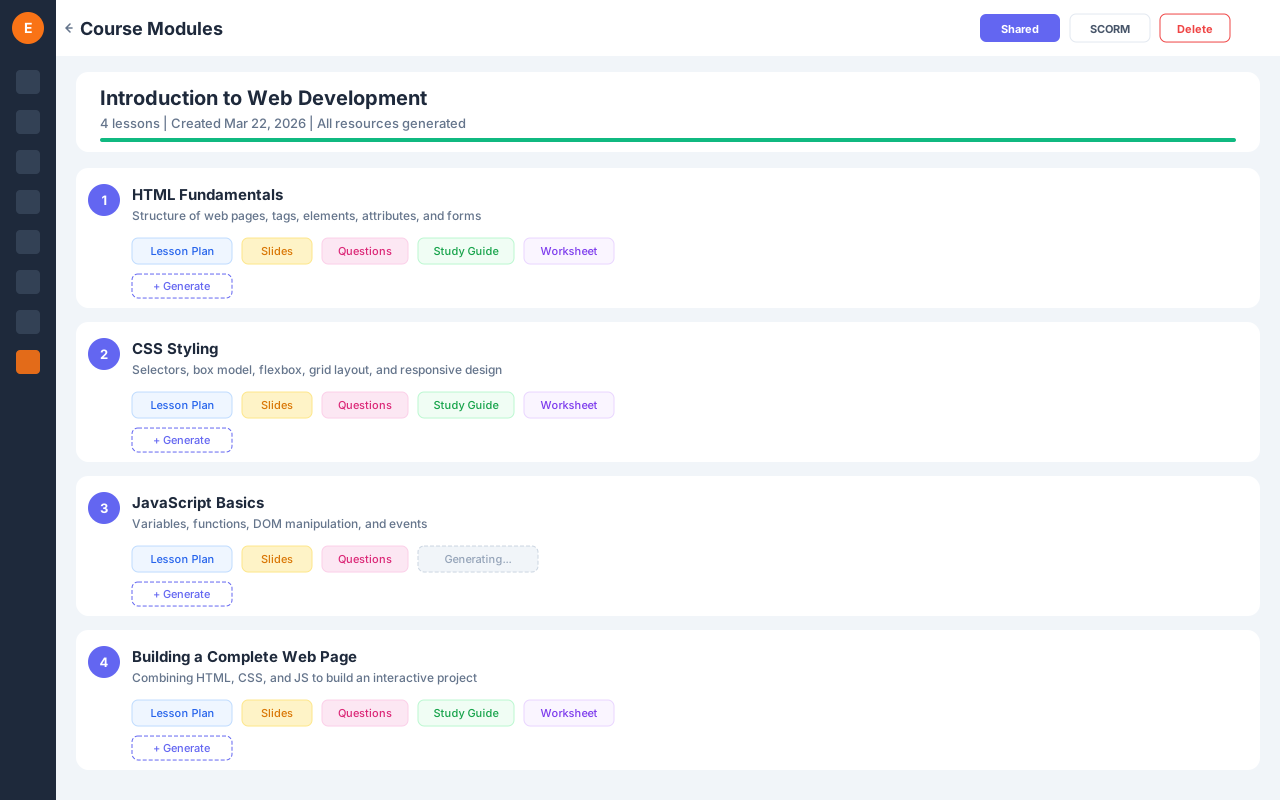
Upload a syllabus and AI decomposes it into structured lessons, then generates all resources — lesson plans, slides, quizzes, study guides, and worksheets. Export as SCORM for any LMS.

  • Syllabus to Lessons AI breaks down your syllabus into optimally structured lessons with objectives
  • Full Resource Generation Auto-generate lesson plans, slides, quizzes, study guides, and worksheets per lesson
  • SCORM Export Download as SCORM 1.2 package and upload to any LMS that supports it
  • Share with Students Share entire modules with students — they see lessons, slides, and take quizzes
Curriculum Import

Curriculum Import

Bring any existing course in — SCORM, Moodle, or Canvas

Upload a SCORM package, a Canvas Common Cartridge, or a Moodle course backup and EduGears rebuilds the structure for you — modules, lessons, pages, and quizzes land as native, editable activities. PowerPoint becomes slides and Word becomes pages, study guides, or worksheets. Everything you import also feeds your course knowledge base, so the AI Tutor and Assistant are grounded in your real materials from day one.

  • Every major format SCORM 1.2 & 2004, Canvas Common Cartridge (.imscc), and Moodle backups (.mbz).
  • Office files too PowerPoint (.pptx) imports as editable slides; Word (.docx) imports as a page, study guide, or worksheet — you choose.
  • Pick what comes in Preview the full course tree and deselect anything you don't want before it's ingested.
  • Feeds curriculum intelligence Imported material is added to the course knowledge base that grounds the AI Tutor and Assistant.
AI Course Build

AI Course Build

Jumpstart or level up a course from what you imported

Don't start from a blank page. Build a full course straight from an import, then use Enhance with AI to lift any piece of content — make a lesson simpler, add worked examples, tighten a worksheet, or deepen a study guide. You write the instruction, the AI proposes a revision, and nothing changes until you accept it.

  • From import to course Turn a SCORM, Moodle, or Canvas import into structured, generatable modules and lessons.
  • Enhance, don't rewrite Give a plain-language instruction and get a proposed revision for slides, questions, pages, study guides, worksheets, and lesson plans.
  • Preview before you commit Review the proposal side-by-side; accept to apply or discard — the original is never overwritten until you say so.
  • Consistent every time Every enhancement comes back clean, structured, and ready to use.
Course Export

Course Export

Take your built course anywhere

Export a whole module or course as SCORM 1.2, SCORM 2004, or Common Cartridge 1.3 — ready to load into any compliant LMS. Export question sets to QTI 2.1 or Moodle XML. Packages are self-contained: images are embedded, math renders properly, and empty lessons are dropped automatically.

  • Standards-based packages SCORM 1.2, SCORM 2004, and Common Cartridge 1.3 at the module or course level.
  • Question portability Export questions as QTI 2.1 or Moodle XML for Moodle, Canvas, and Blackboard.
  • Self-contained files Images are embedded as data URIs — no expiring links — so the package works offline and after transfer.
  • Math that survives the trip Equations render in SCORM/CC, and slide exports flatten LaTeX so PowerPoint displays it cleanly.
Quizzes

Quizzes

Graded assessments with unique exams

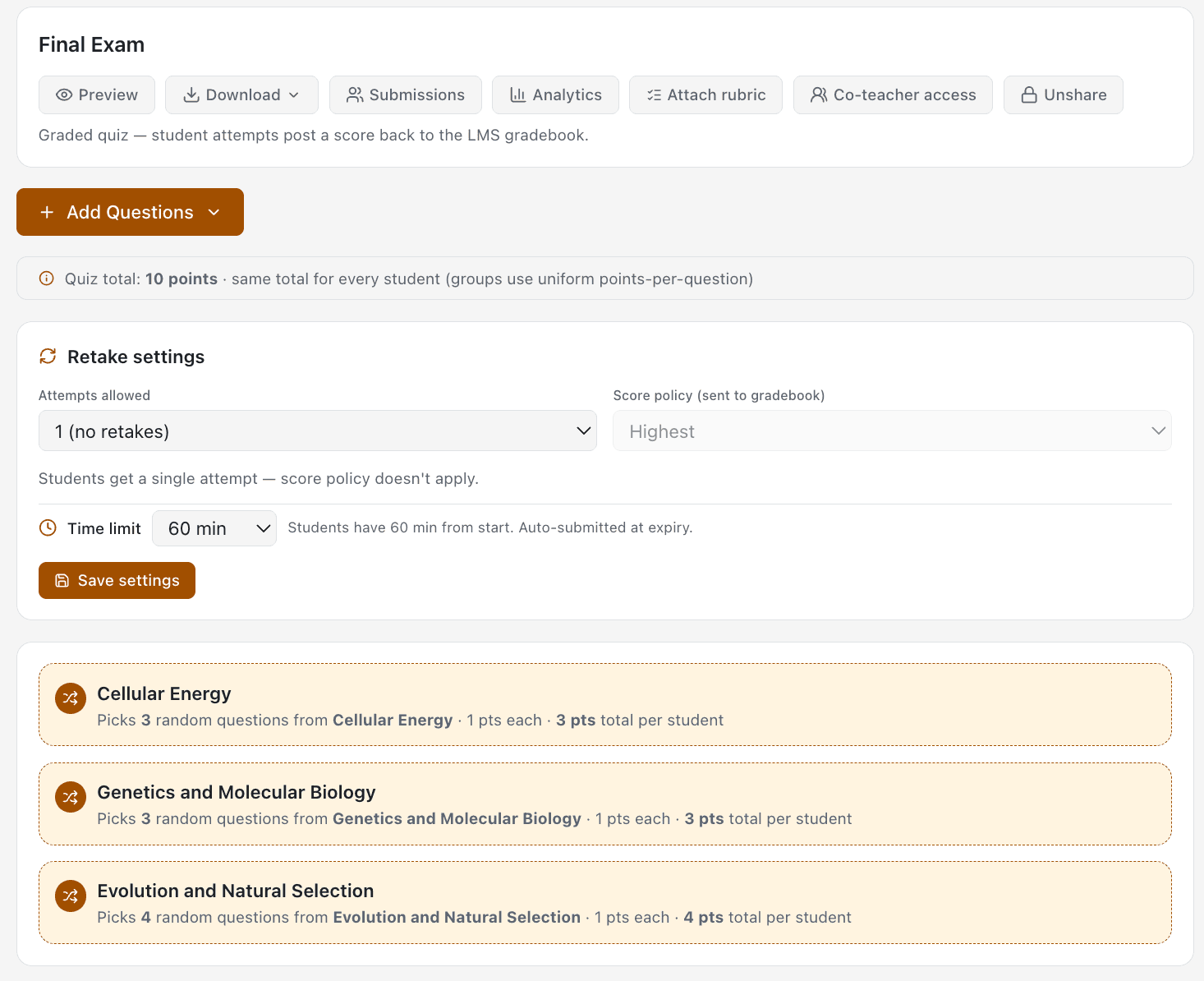
Build graded quizzes and finals, then attach as Canvas External Tool assignments with grade passback. Question groups draw N random items per group so every student gets a unique exam.

  • Question Groups Every student gets a randomized exam — lowering cheating risk.
  • Flexible Sources Build quizzes from your banks, generated questions, and course content.
  • Canvas Grade Passback Attach as External Tool assignment — scores post back to the Canvas gradebook automatically
  • Time Limits & Retakes Per-quiz settings for attempts, timer, shuffle, and when answers become visible to students
AI Grading

AI Grading

Intelligent assessment with grade passback

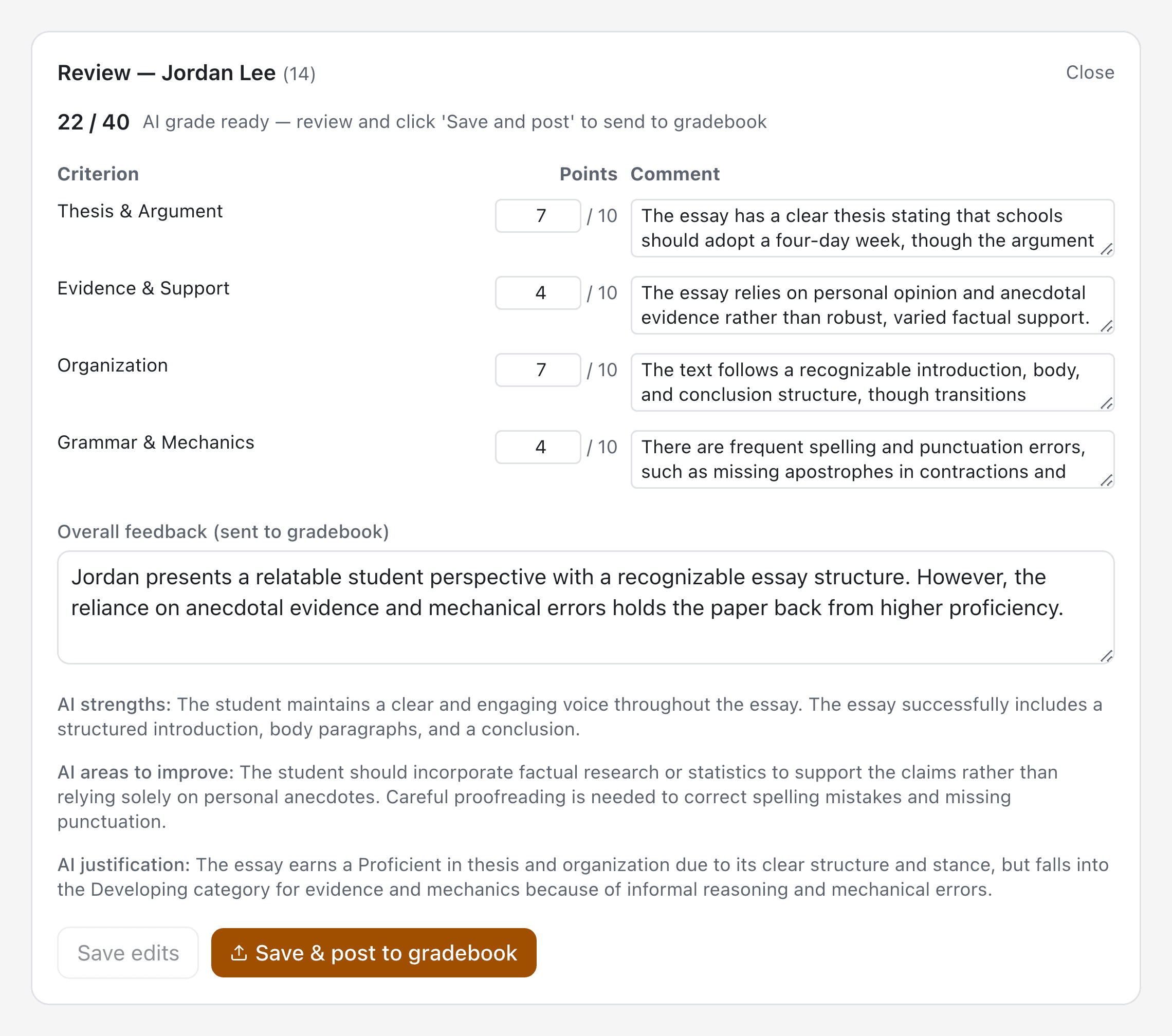
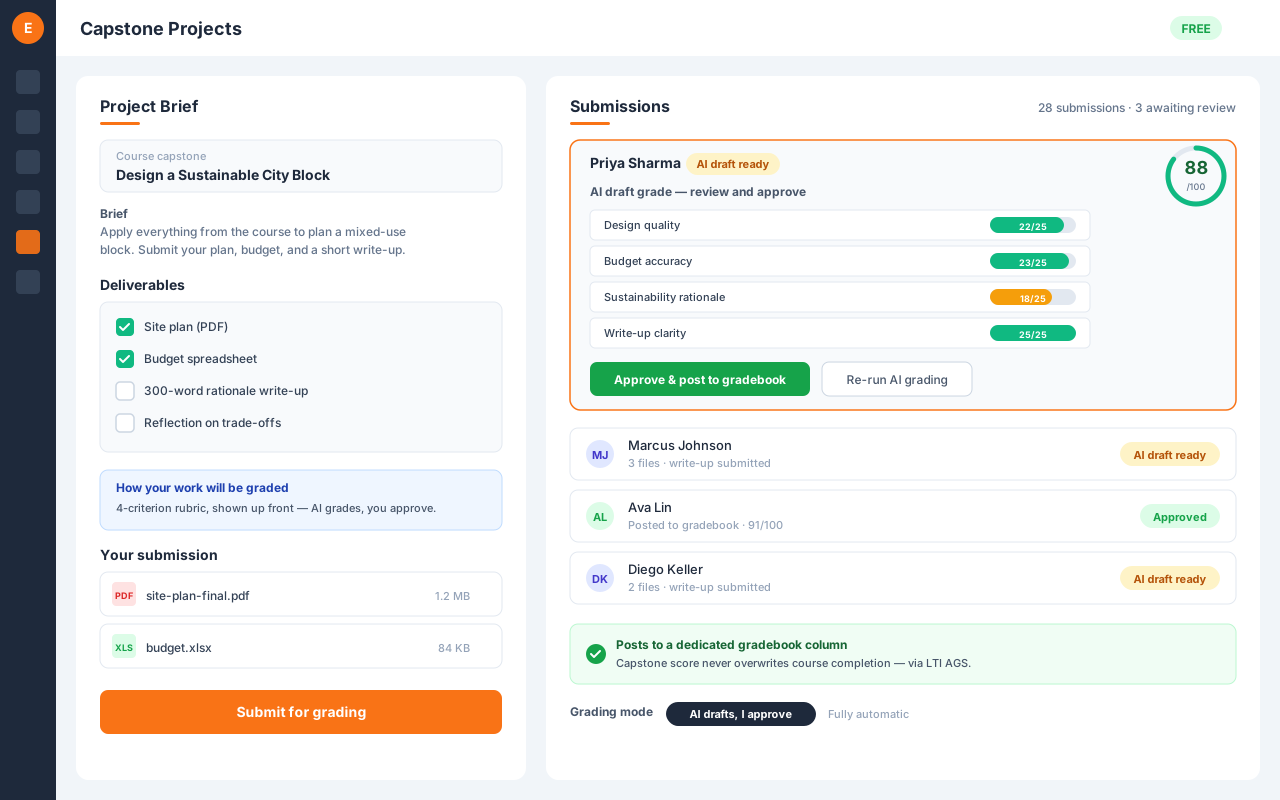
AI-assisted grading with detailed rubric-based feedback. Grades sync automatically to your LMS gradebook.

  • Rubric-Based Scoring Use custom rubrics or AI-generated templates for consistent grading
  • Multi-Format Uploads Accept PDFs, DOCX, images, and text submissions from students
  • LMS Grade Passback Grades automatically posted to your LMS gradebook via AGS
  • Detailed Feedback AI generates comprehensive feedback alongside scores
AI Tutor

AI Tutor

24/7 personalized learning support

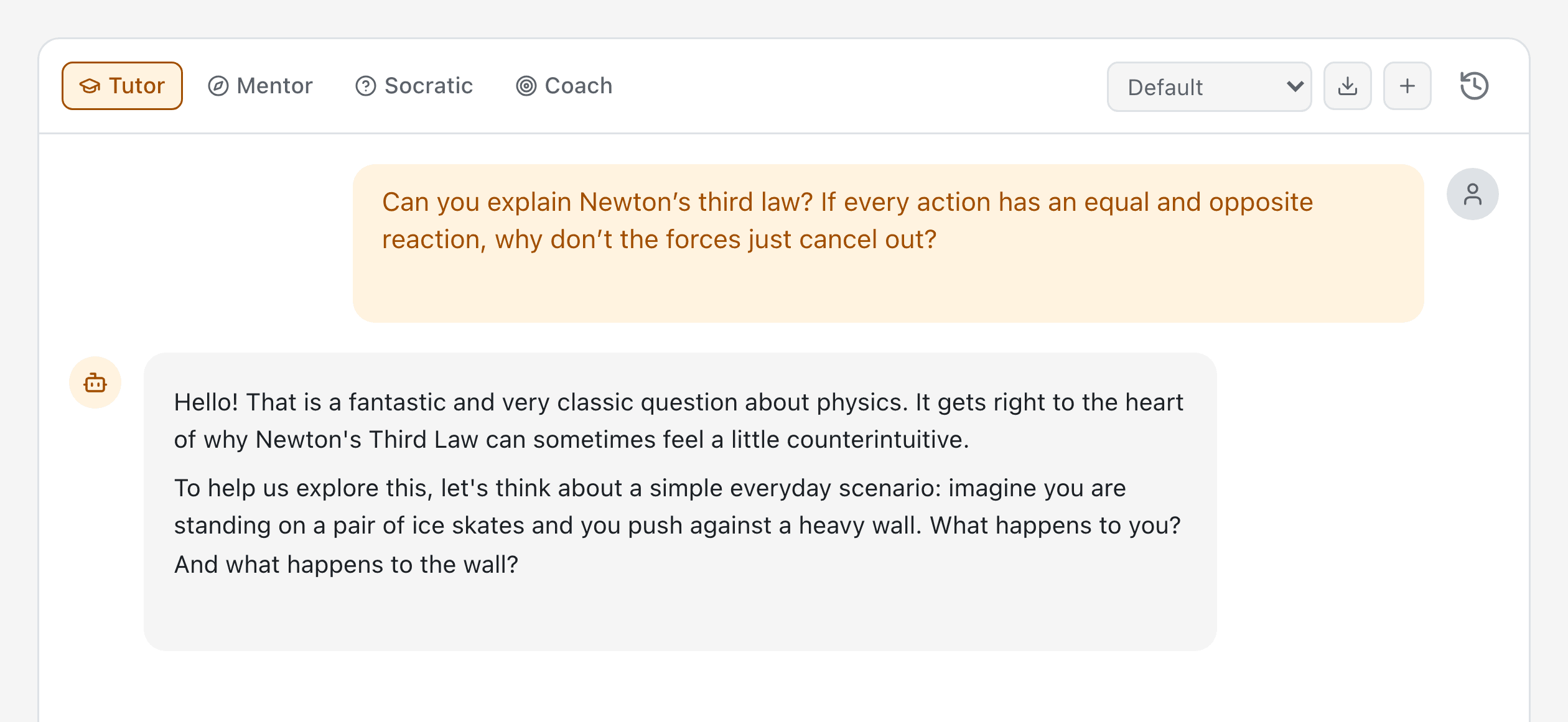
Multi-role AI tutor with step-by-step explanations, Socratic questioning, and mentoring — on demand or built right into lessons and practice, grounded in the exact resource on screen and your course's own materials.

  • 4 Tutor Modes Tutor, Mentor, Socratic, and Coach roles for every learning style
  • Grounded in Your Course Answers come from the lesson and the slide, page, or question on screen — not the open web.
  • Per-Lesson Threads Each lesson keeps its own conversation; archive and reopen past chats whenever you return.
  • Assessment-Safe Never surfaces quizzes or answer keys — hints before answers, full explanations after.
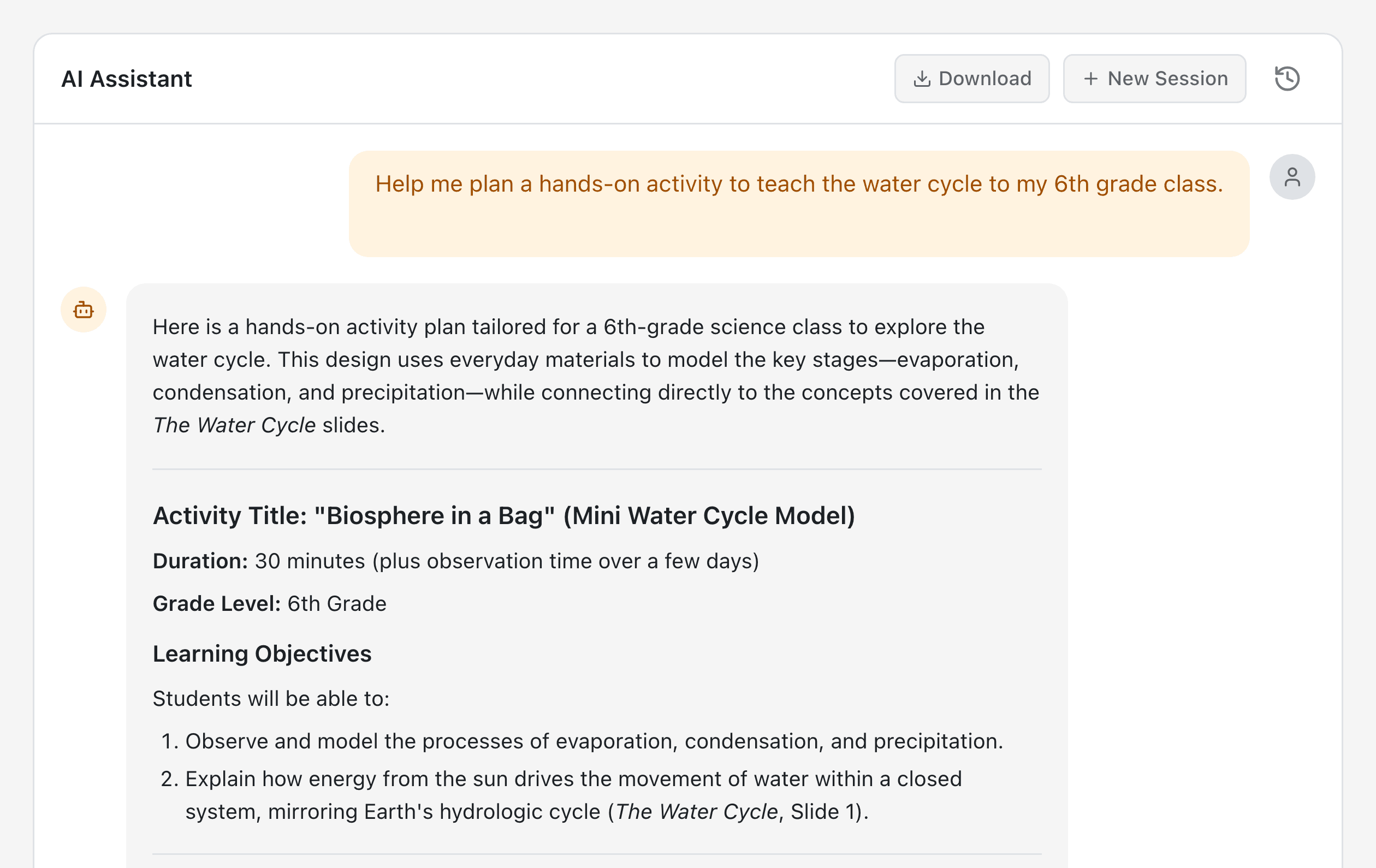
AI Assistant

AI Assistant

Your teaching co-pilot

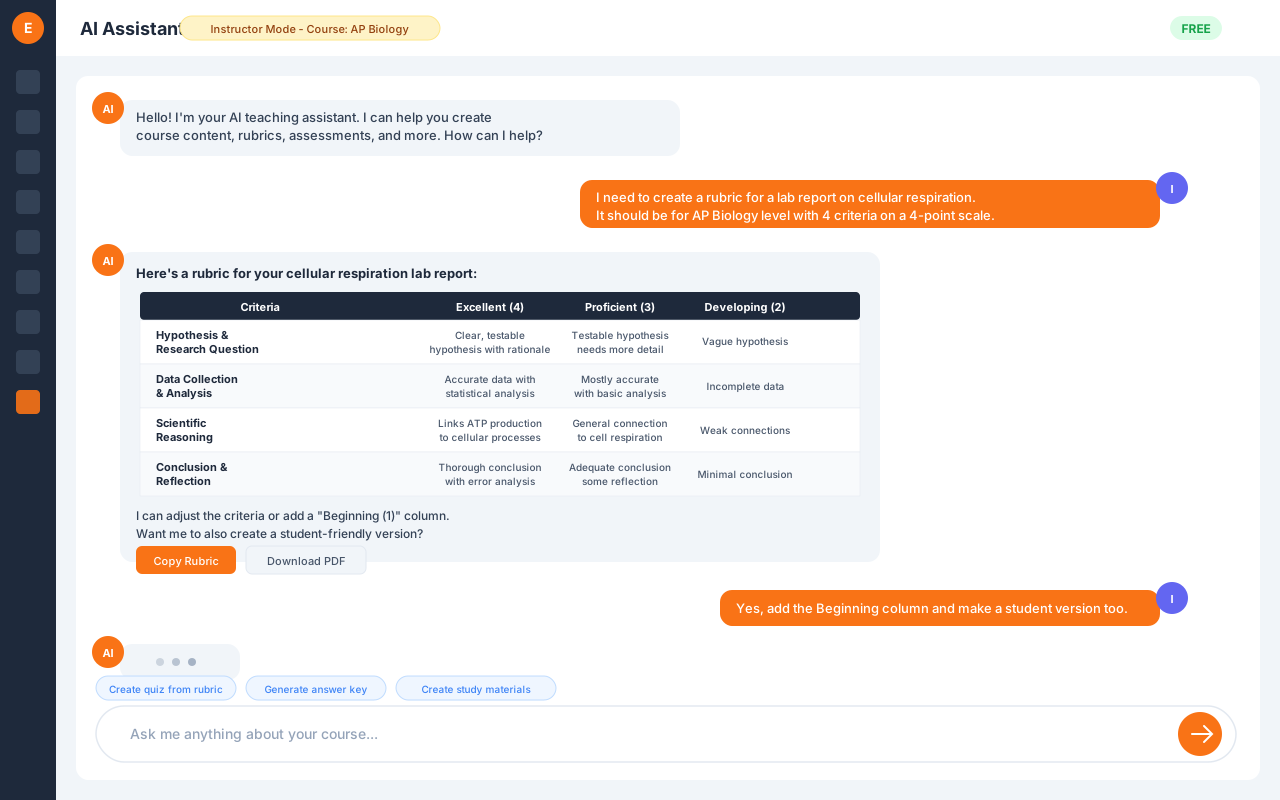
Chat-based AI assistant for instructors — help with lesson planning, content strategy, and teaching methods, plus in-context authoring suggestions grounded in the resource you're editing and your own course content.

  • Teaching Support Get guidance on pedagogy, curriculum design, and methodology
  • Grounded in Your Content Suggestions draw from your authored course materials and the resource currently open.
  • Per-Lesson Threads Conversations persist per lesson; archive and reopen them anytime.
  • On Every Resource Authoring help built into every editor — get suggestions right inside the slide, page, or question you're creating
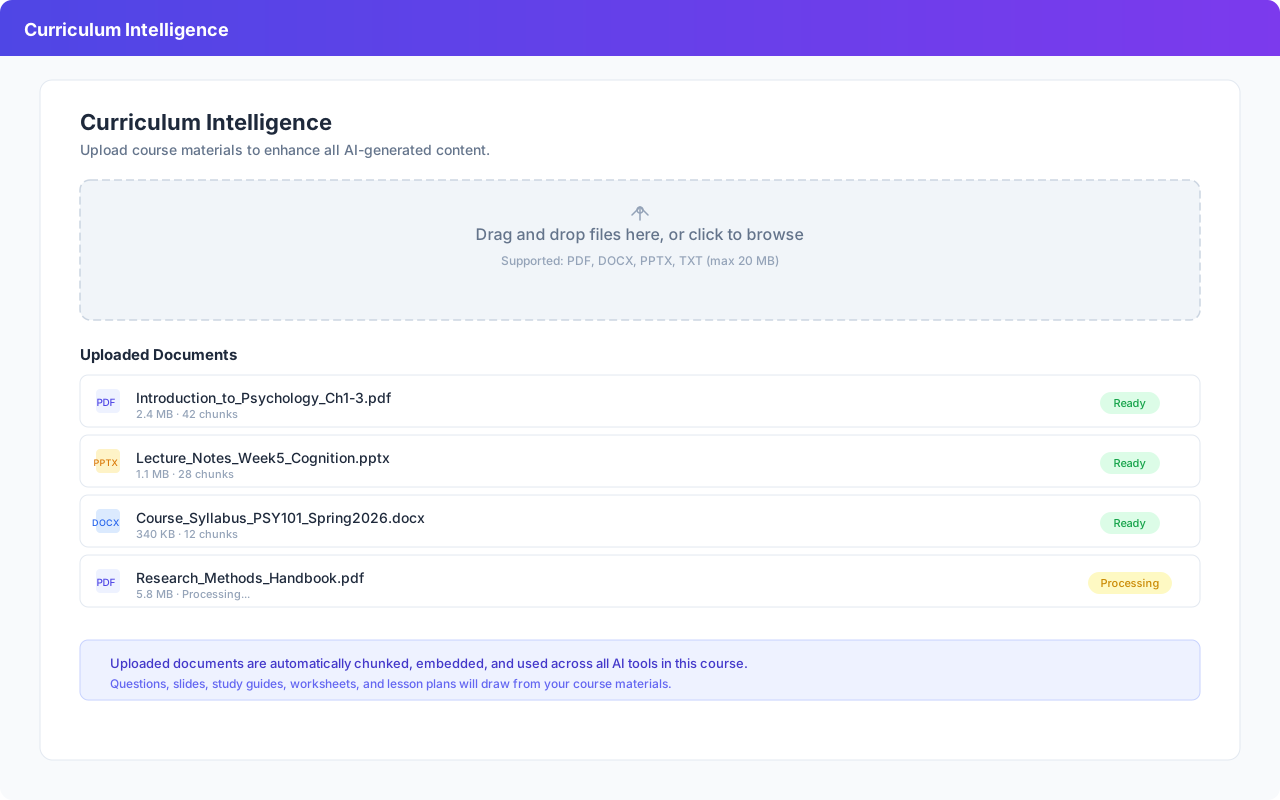
Curriculum Intelligence

Curriculum Intelligence

Supercharge AI with your own materials

Upload course documents — syllabi, textbooks, lecture notes — or bring in an entire SCORM, Moodle, or Canvas course, and every AI tool automatically draws from your materials to generate more relevant, course-aligned content.

  • Upload Any Format PDF, DOCX, PPTX, and text files — plus whole-course SCORM, Common Cartridge, and Moodle imports.
  • RAG-Powered Generation AI retrieves relevant passages from your materials and weaves them into every output
  • Cross-Tool Enhancement Questions, slides, study guides, worksheets, and lesson plans all draw from your uploaded content
  • Transparency Built In See exactly which course materials were used with a collapsible 'Course Materials Used' section
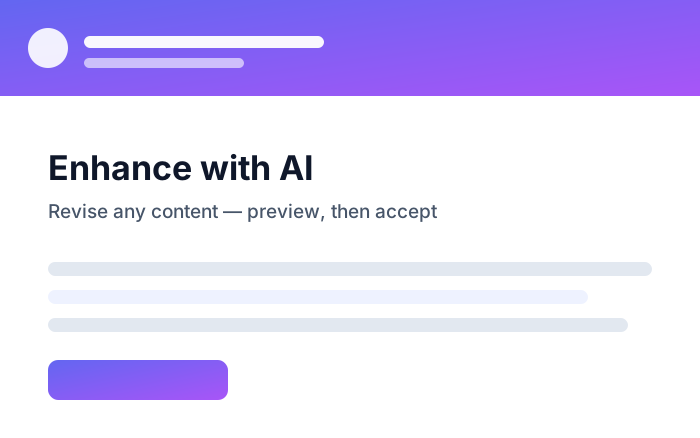
Enhance with AI

Enhance with AI

Improve any content with one instruction

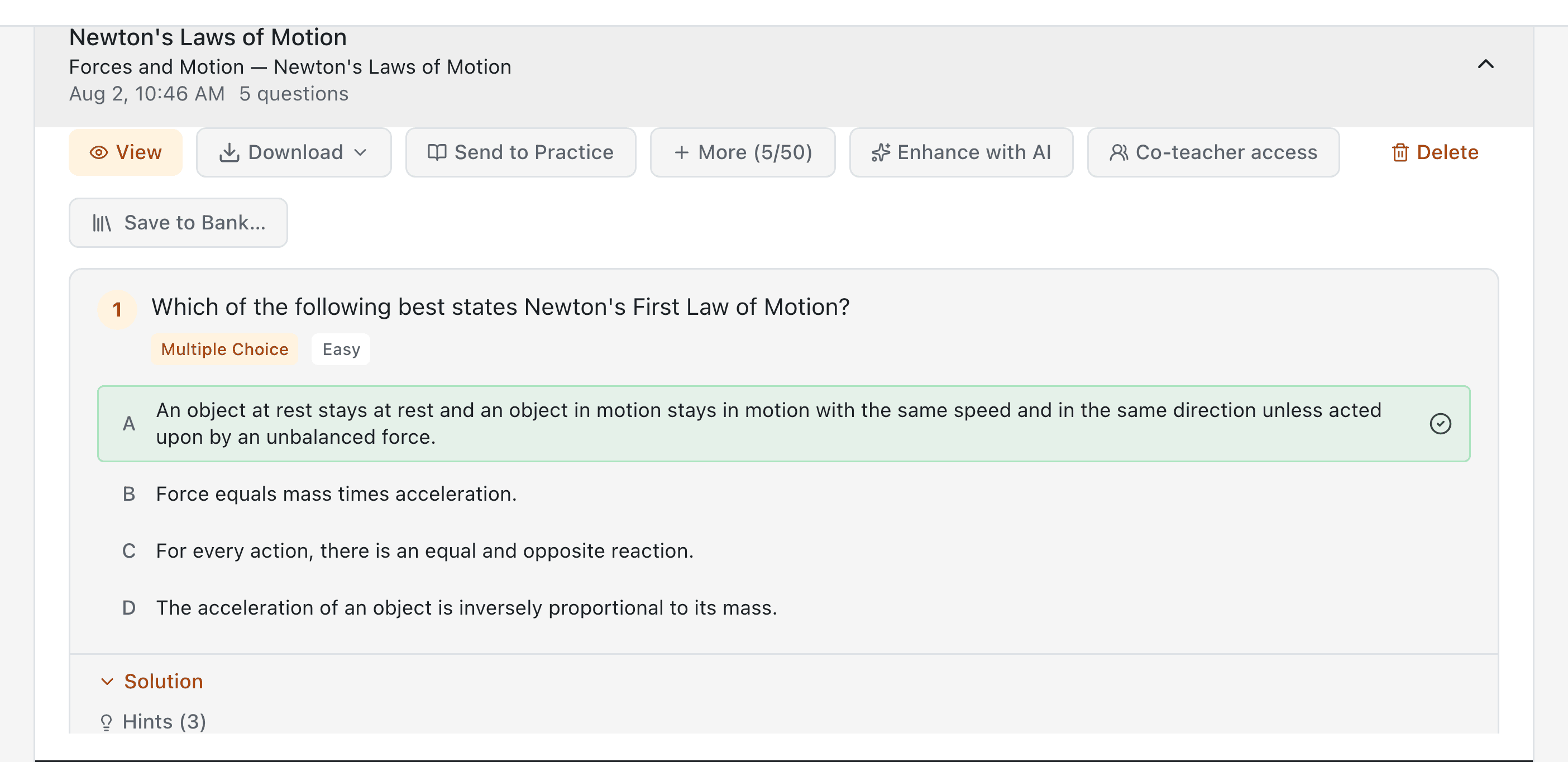
On any piece of content — generated or imported — click Enhance, type what you want changed, and get an AI-proposed revision you can preview and accept or reject. Works across slides, questions, pages, study guides, worksheets, and lesson plans, and every enhancement is tracked in your generation history.

  • Plain-language editing “Make it simpler,” “add two examples,” “shorten to one page” — the AI does the rewrite.
  • Preview, then decide See the proposed version before anything changes; accept to apply or discard with no impact.
  • Works on six content types Slides, questions, pages, study guides, worksheets, and lesson plans.
  • Tracked in history Enhancements appear in your generation history alongside everything else you've created.
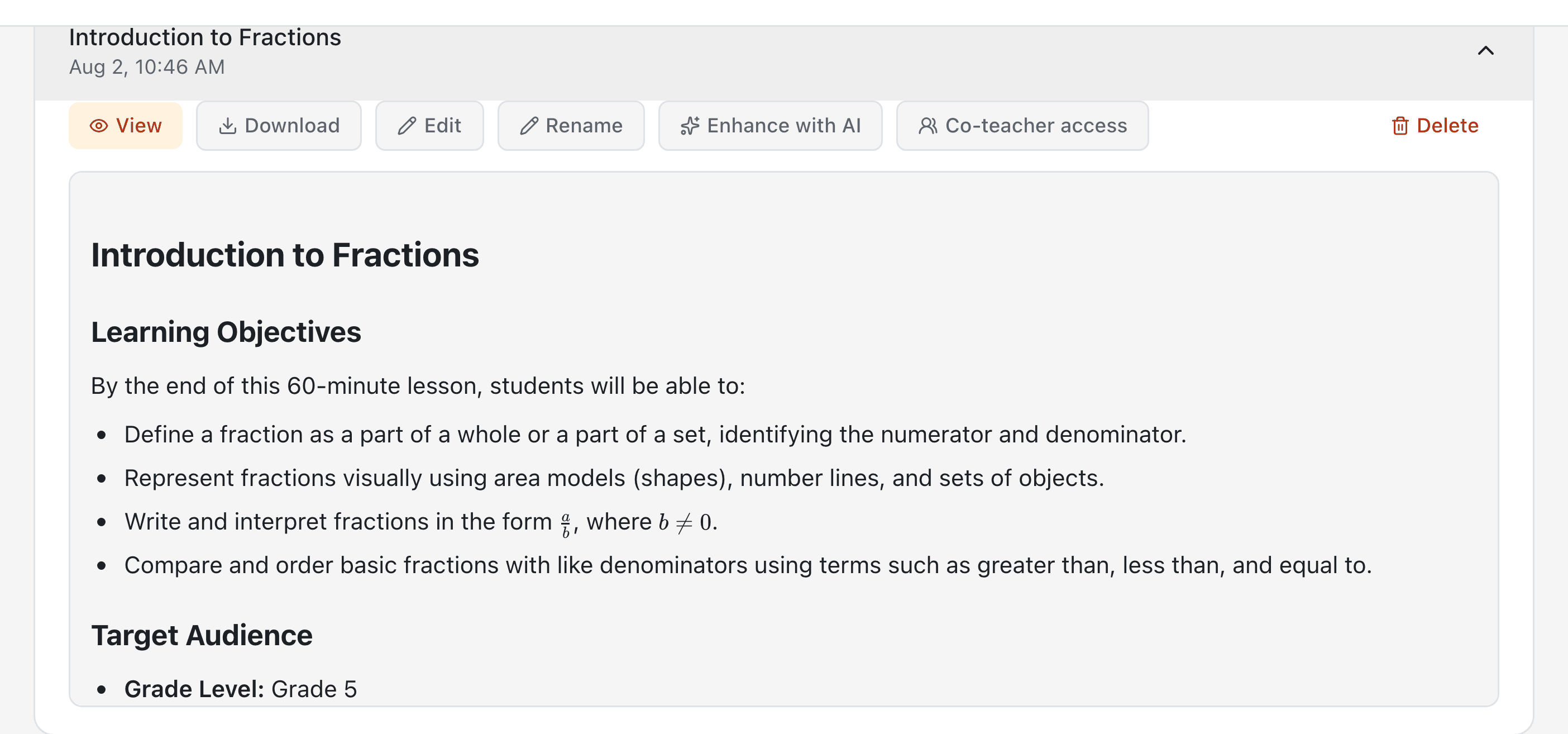
AI Lesson Planner

AI Lesson Planner

Structured lesson plans in seconds

Generate complete lesson plans with objectives, activities, assessments, and timing from any topic.

  • Customizable Plans Set grade level, duration, learning objectives, and standards
  • Structured Output Activities, assessments, materials, and timing all laid out
  • Document-Based Upload curriculum documents to generate aligned lesson plans
  • Share & Export Share plans with colleagues or download as PDF
AI Question Generator

AI Question Generator

Generate assessments in seconds

Create 9 question types with customizable difficulty levels. Export to QTI 2.1 for direct LMS import.

  • 9 Question Types Multiple choice, short answer, essay, matching, assertion & reason, and more
  • QTI 2.1 Export Import directly into any LMS question bank with one click
  • Difficulty Levels Easy, medium, hard — AI calibrates complexity automatically
  • Bulk Generation Generate 10, 20, or 50 questions from any topic or uploaded document
Question Banks

Question Banks

One reusable library, every class

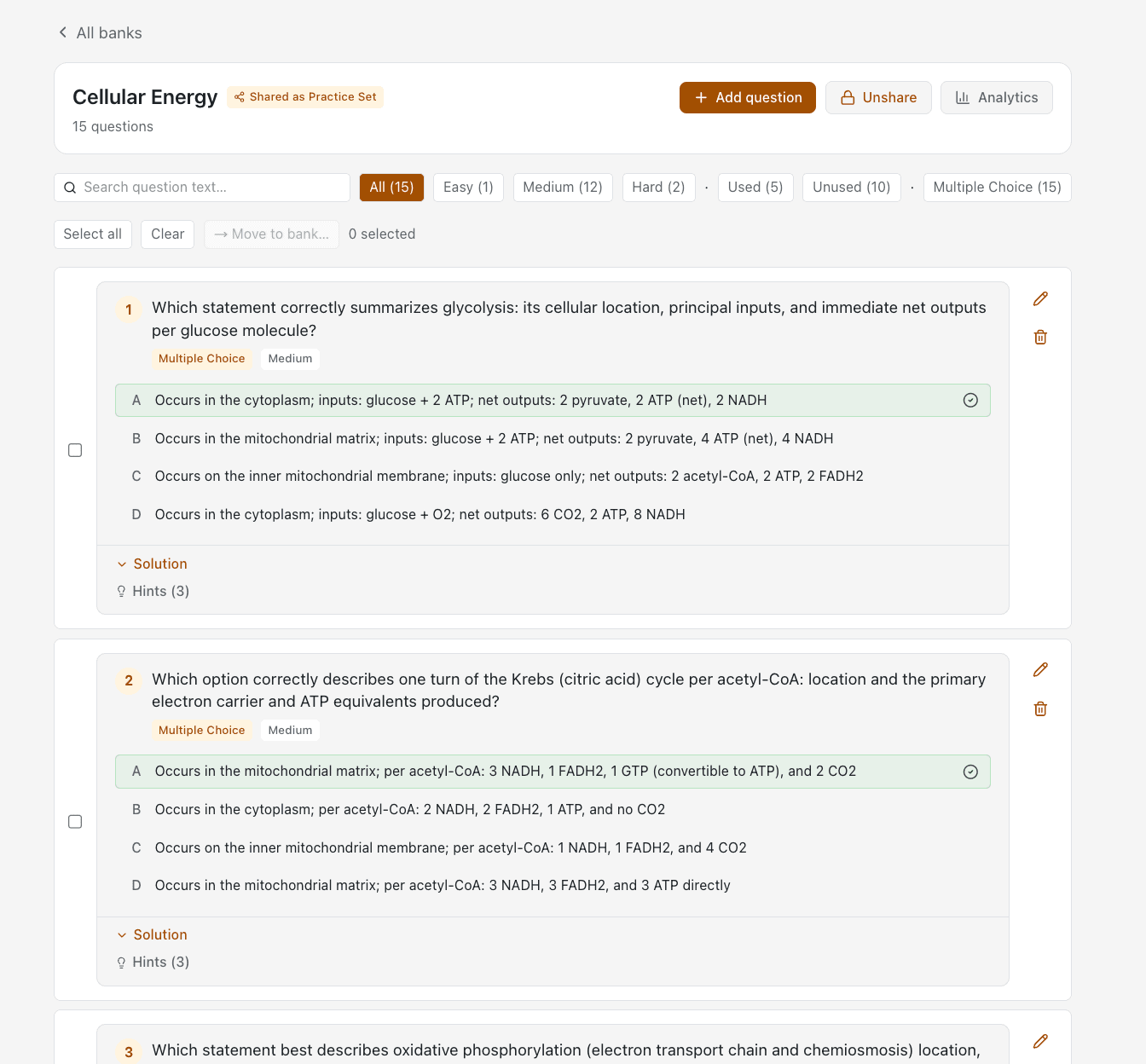
Build reusable question pools that feed practice sets, quizzes, and assessments. Save AI-generated questions into a bank, author manually, or import existing Canvas banks as QTI.

  • Save AI Questions Direct Pipe generated module questions straight into a bank — select all or pick and choose
  • Author with Rich Text 9 question types, inline images, and LaTeX math — built right into the editor
  • Canvas QTI Import Drop in an exported Canvas bank — questions and attached media land intact
  • Powers Everything One bank feeds practice sets, quizzes, and graded assessments — author once, reuse everywhere
Practice Sets

Practice Sets

Self-paced practice from any source

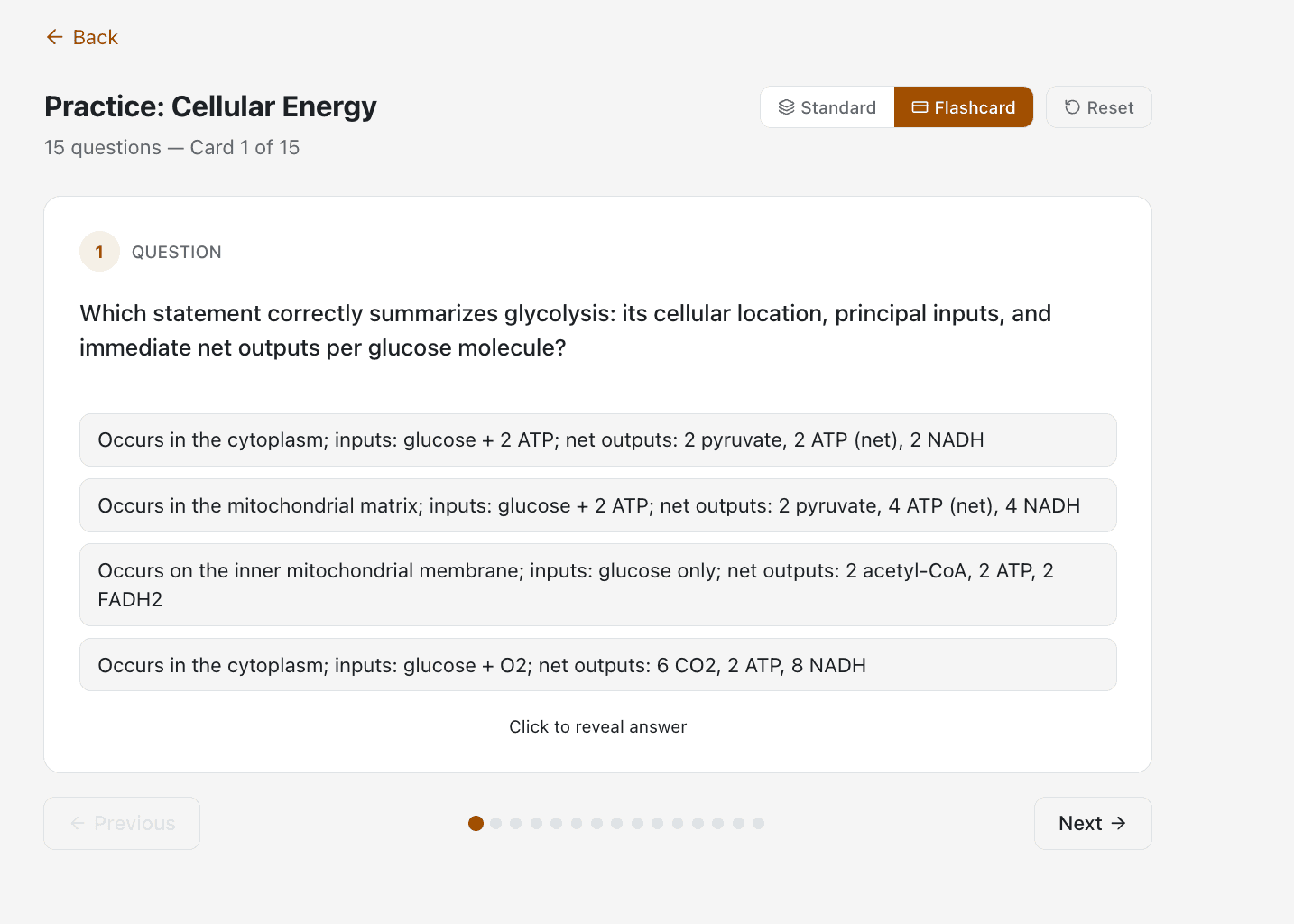
Give students structured practice tied to specific lessons or modules. Pull from question banks with one click, or from generators, course modules, history, or manual entry.

  • Build From Anywhere Assemble sets from your banks, generated questions, and course content.
  • Multi-Lesson Sets Pull from several modules at once — filter by difficulty or question type before adding
  • Student Preview Walk through the set as a student — see answers, request hints, switch to flashcard mode
  • Share & Unshare Toggle student visibility on or off in one click.
Rubrics

Rubrics

Consistent, transparent grading

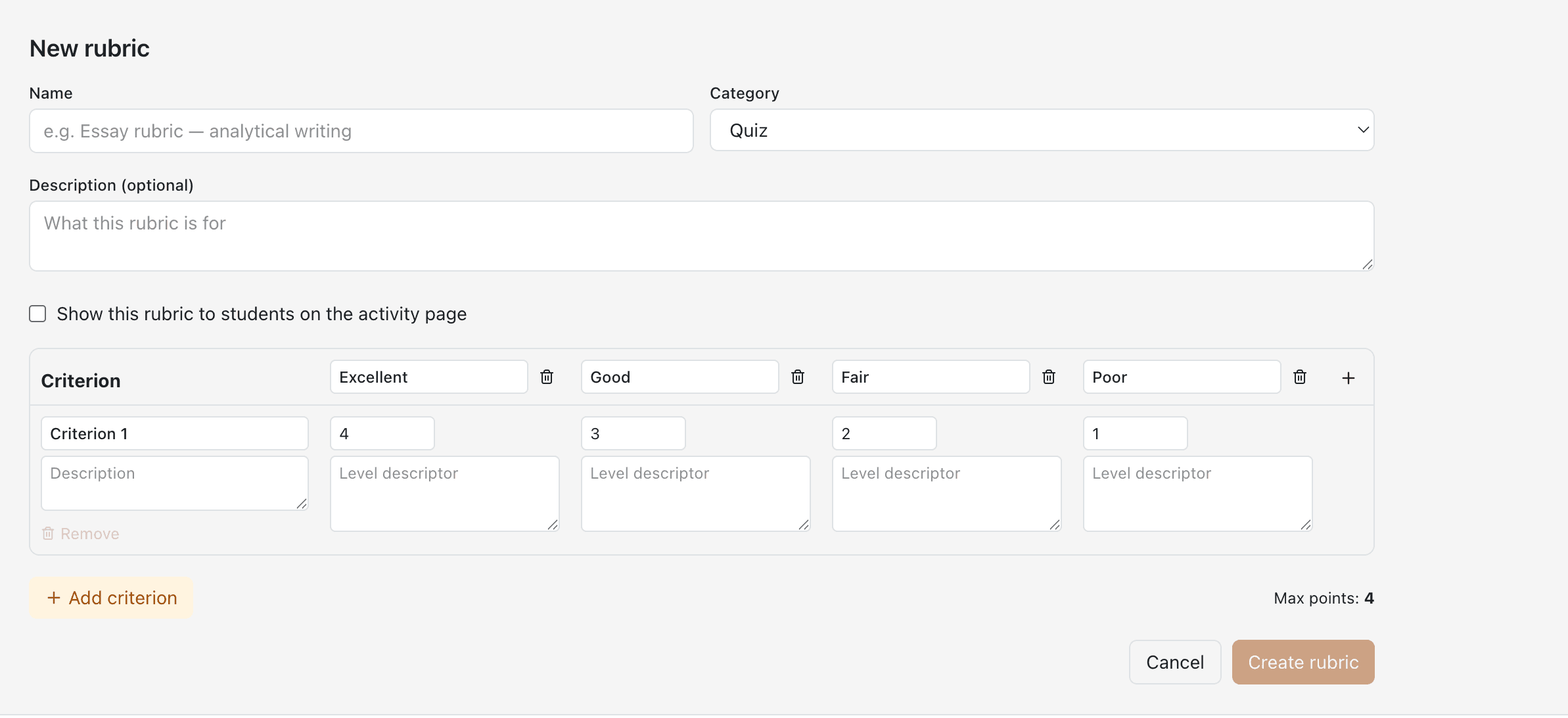
Build reusable grading rubrics with custom criteria and performance levels, then attach to quizzes or essays. AI grades against the rubric in one pass with per-criterion breakdown — or override manually.

  • Criteria × Levels Grid Define custom criteria with named performance levels (Excellent → Needs Work) and point values
  • Show to Students Toggle visibility so learners see exactly what's being graded — driving higher-quality work
  • AI Grading in One Pass All essays in an attempt graded against the rubric for a single credit, with per-criterion scores
  • Manual Override Adjust per-criterion scores after review — the gradebook updates automatically
AI Slides Generator

AI Slides Generator

Presentations made instant

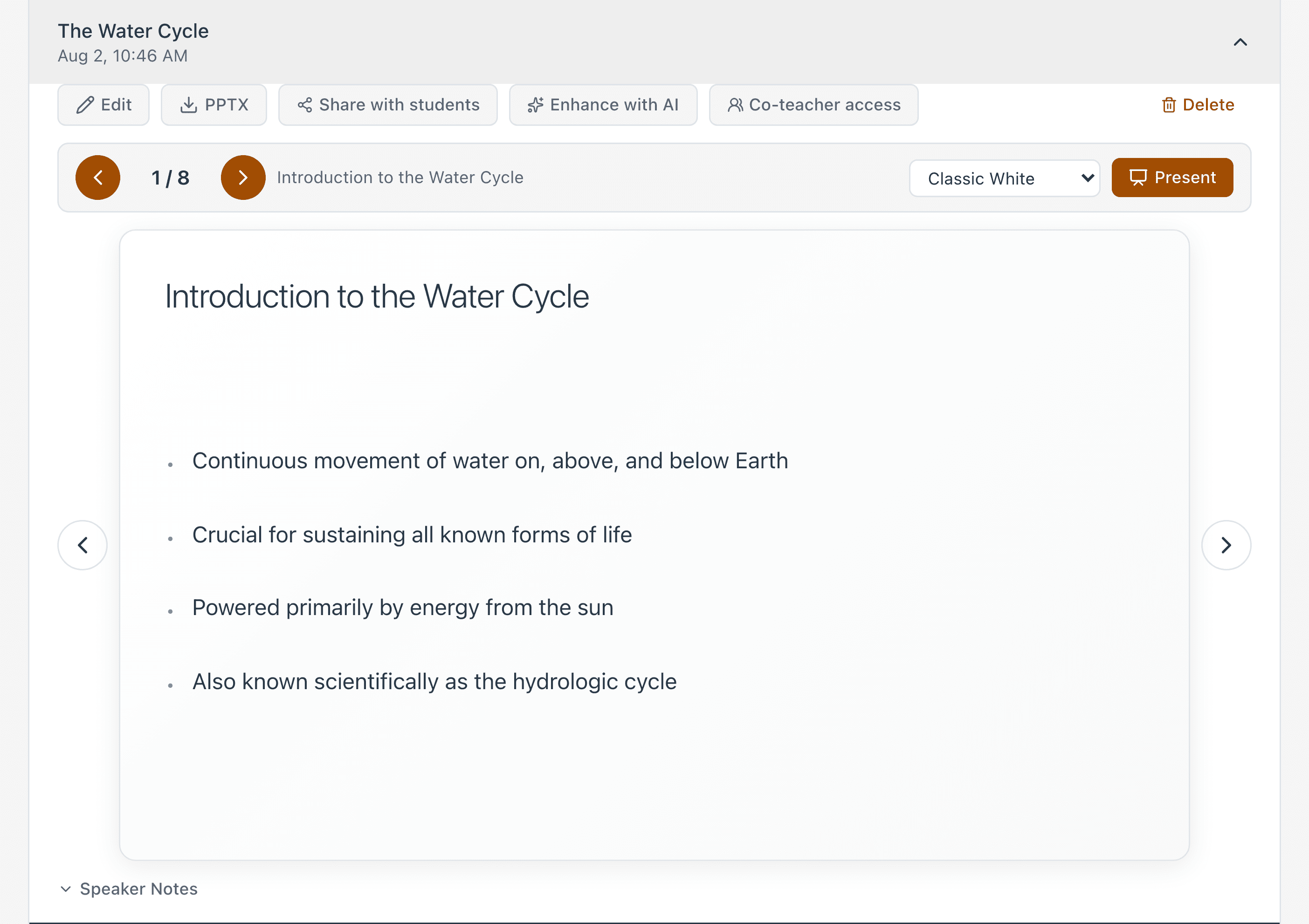
Auto-generate polished presentation slides from topics or uploaded documents. Export as PDF.

  • Topic or Upload Generate from a topic name or upload your documents for AI processing
  • Configurable Slides Choose how many slides, adjust content depth and layout
  • Interactive Viewer Preview, edit, and refine slides in a built-in editor
  • PDF Export & Share Download as PDF or share directly with students in your course
AI Study Guide Generator

AI Study Guide Generator

Comprehensive study materials on demand

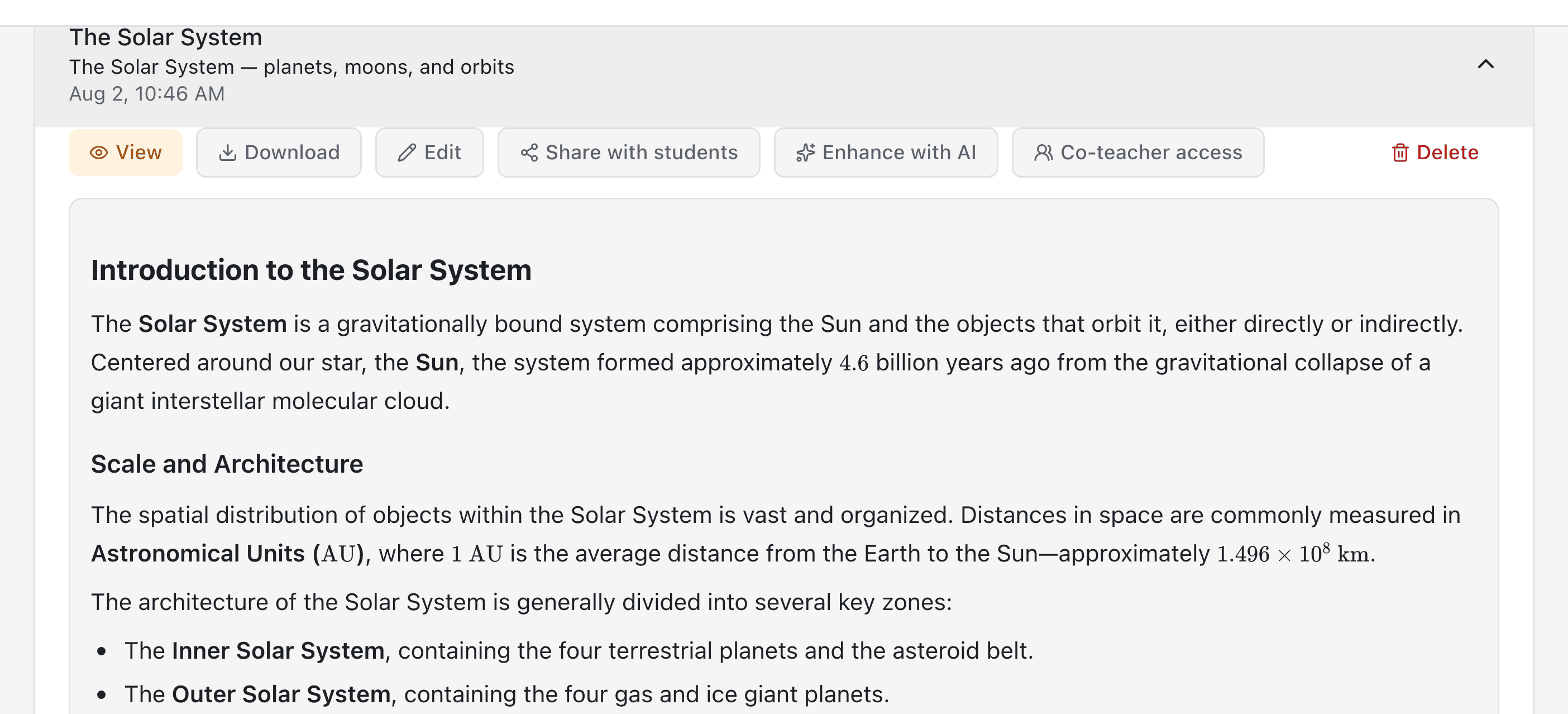
Creates structured study guides, summaries, and revision materials from any topic or document.

  • Rich Content Markdown-based guides with headings, key concepts, and summaries
  • Document Upload Upload PDFs, DOCX, or text to generate targeted study materials
  • Version History Edit and iterate — all versions saved for future reference
  • PDF Export Download polished study guides ready for student distribution
AI Worksheet Generator

AI Worksheet Generator

Practice worksheets in a click

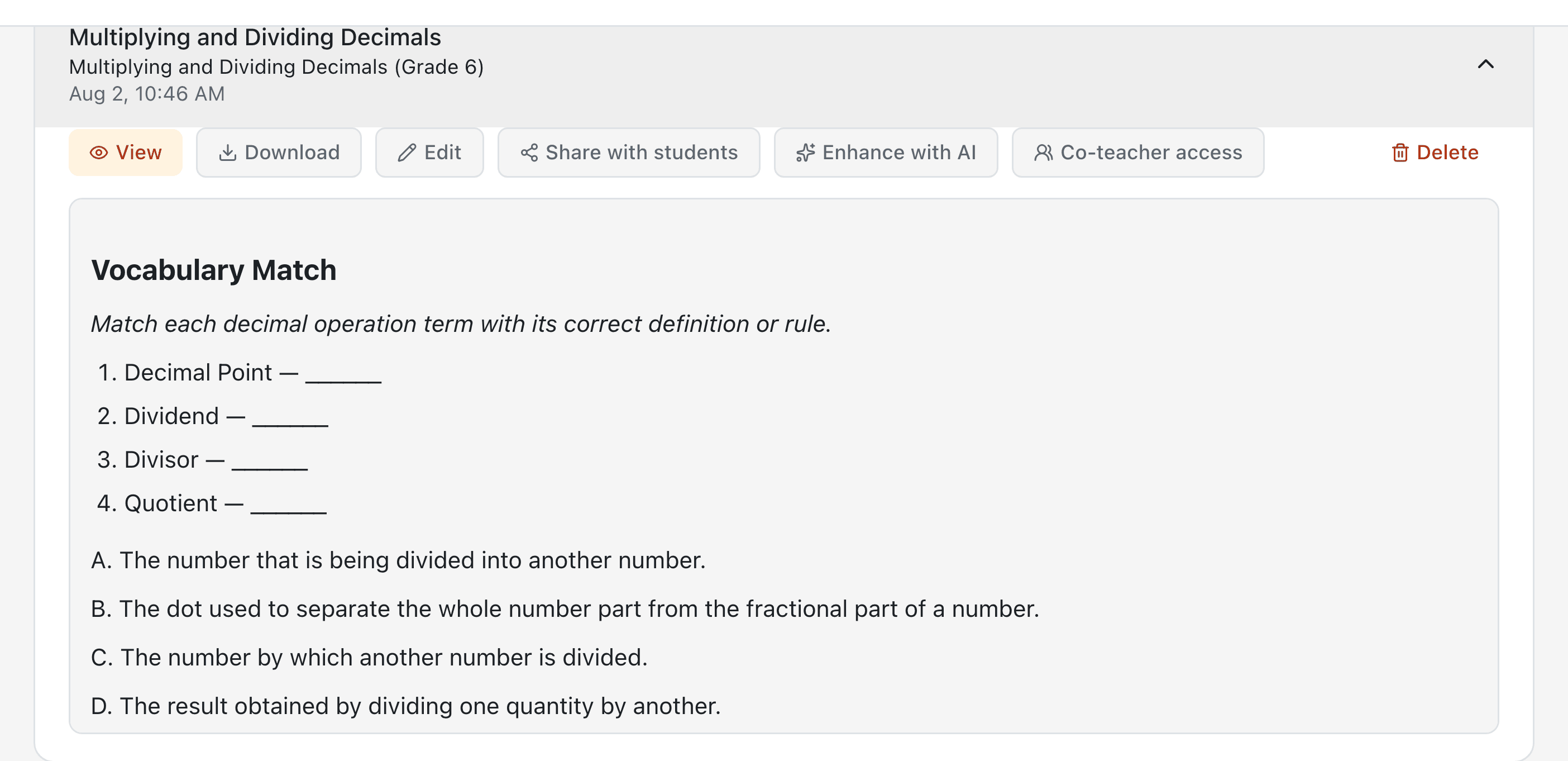
Generate practice worksheets and activities tailored to any topic, grade level, or learning objective.

  • Multiple Formats Fill-in-the-blank, matching, word problems, and more
  • Editable Content Modify generated worksheets before sharing with students
  • Share with Students Distribute worksheets directly through your LMS course
  • PDF Download Export print-ready worksheets for offline use
AI Page Generator

AI Page Generator

Rich content pages from one prompt

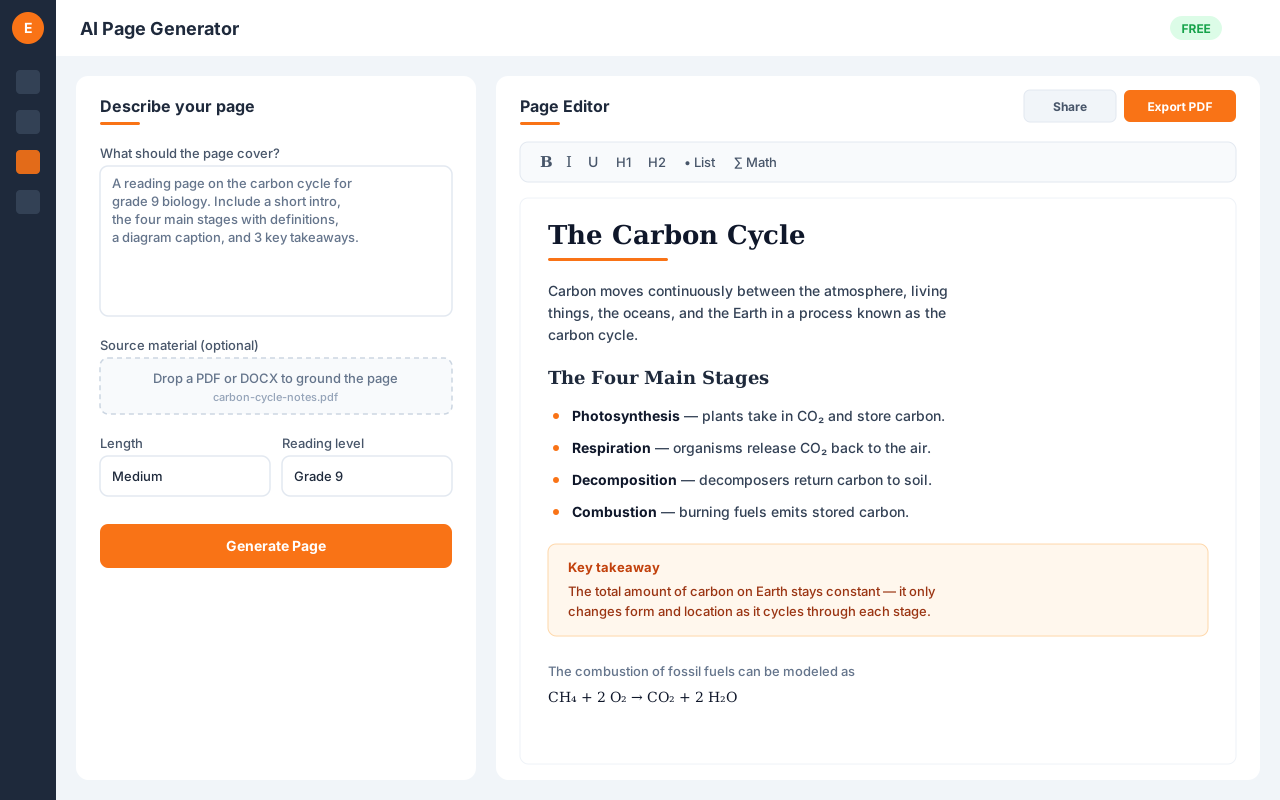
Describe the page you want and AI writes a complete, formatted content page — ready to refine in a rich WYSIWYG editor, share read-only with students, or export to PDF. Math and chemistry notation included.

  • Prompt to Page Turn a short description into a fully formatted lesson page in seconds
  • Ground in Your Files Upload source materials so the page reflects your own content
  • WYSIWYG Editing Fine-tune the generated page in a rich text editor before you publish
  • Share or Export Share read-only with students or download as PDF — math and chemistry rendered
Module Player

Module Player

Guided, lesson-by-lesson learning

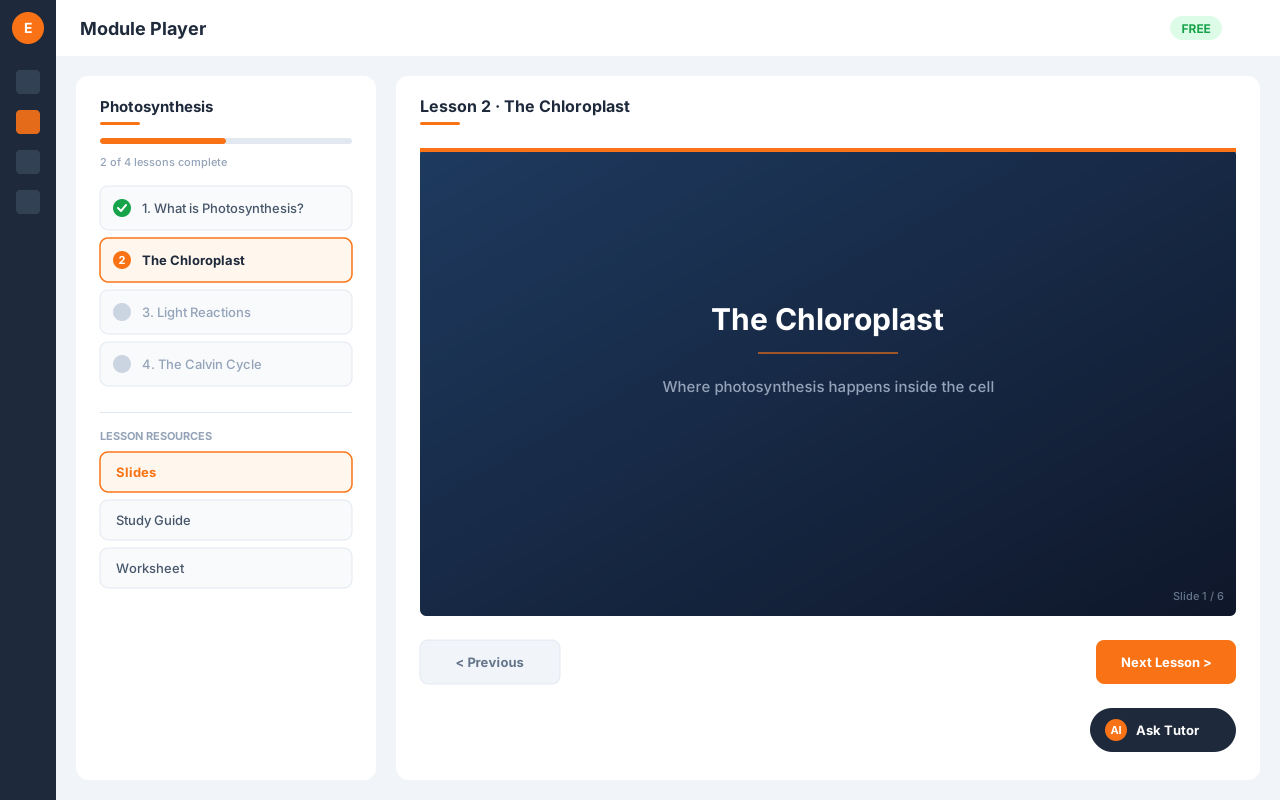
A student-facing player that walks learners through a course module lesson by lesson — slides, study guides, and worksheets in sequence — with progress tracking, resume, and a built-in contextual tutor.

  • Sequential Lessons Learners move lesson by lesson with prev/next navigation and a clear completion checklist
  • Progress & Resume Per-lesson completion is tracked so students pick up right where they left off
  • Three Resource Types Slides, study guides, and worksheets per lesson — lesson plans and answer keys stay teacher-only
  • Preview as Student Teachers preview the full experience without affecting saved progress
Rich Text Editor with AI Images

Rich Text Editor with AI Images

Edit any AI output — and drop in AI images

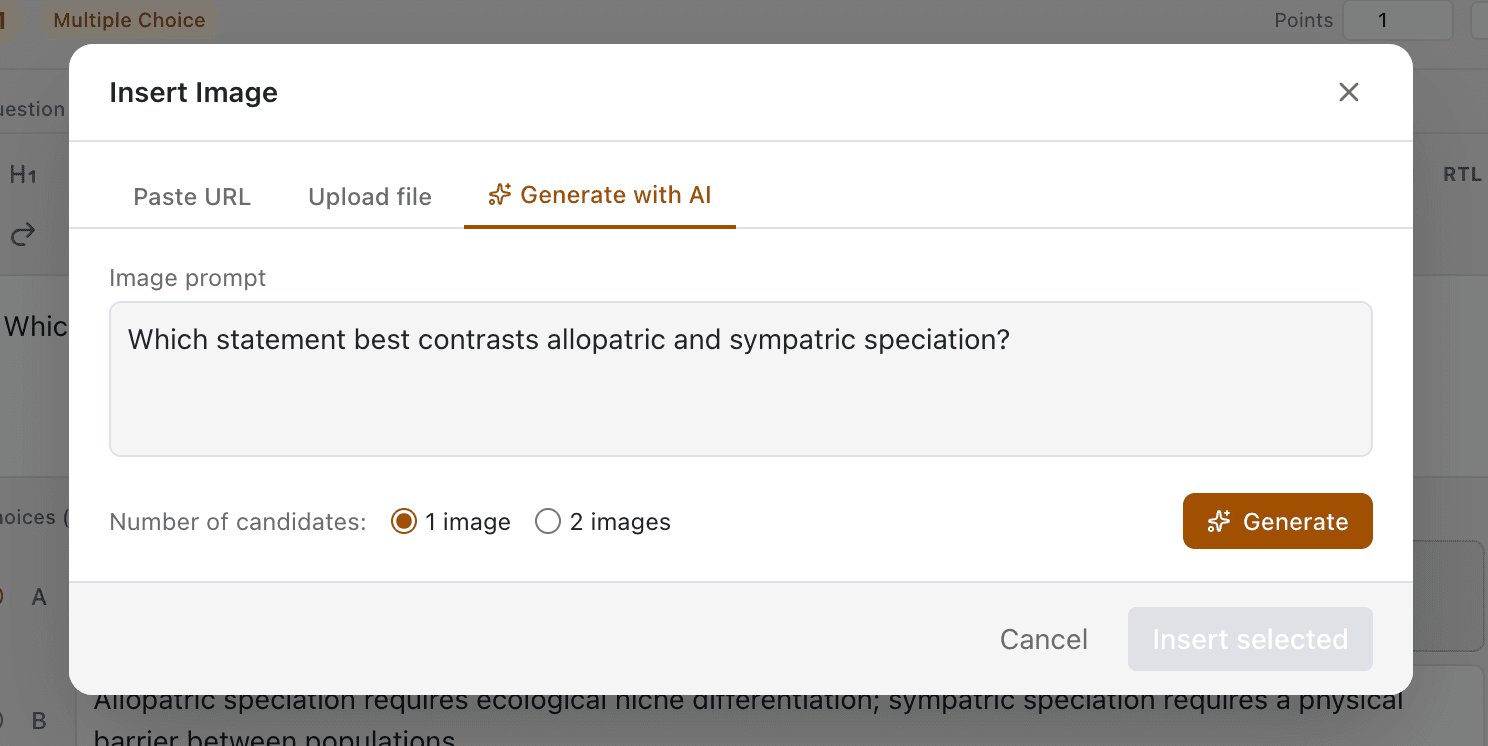
A full WYSIWYG editor used across every AI tool — refine slides, study guides, lesson plans, worksheets, and questions. Insert AI-generated images inline by prompt, plus tables, LaTeX math, code, and YouTube embeds.

  • WYSIWYG Across All Tools Same editor in slides, study guides, lesson plans, worksheets, and question authoring
  • AI Image Inline Prompt for an image, pick from candidates, set width preset, and insert without leaving the editor
  • Math, Tables, Code LaTeX equations via KaTeX, tables with headers, code blocks, links, lists, and YouTube embeds
  • Export Ready PPTX export for slide decks with themed color schemes; resizable images with drag handles

Ready to Add AI to Your LMS?

Get started in under 3 minutes. No credit card required. No intrusive plugins. Just connect and go.